Small is big! Tiny spacecrafts are being designed to reach Alpha Centauri!

Russian billionaire Yuri Milner recently showed his interest in developing spacecraft that can travel at upto 20% the speed of light. This would make the travel time to reach Alpha Centauri less than twenty years. It seemed pretty clear that for this mission, extremely lightweight spacecrafts have to be made. Also, no human would be suitable for such a space travel, hence appropriate robots need to be developed. A new species of tiny satellites seem to be capable.
11052604485741830082

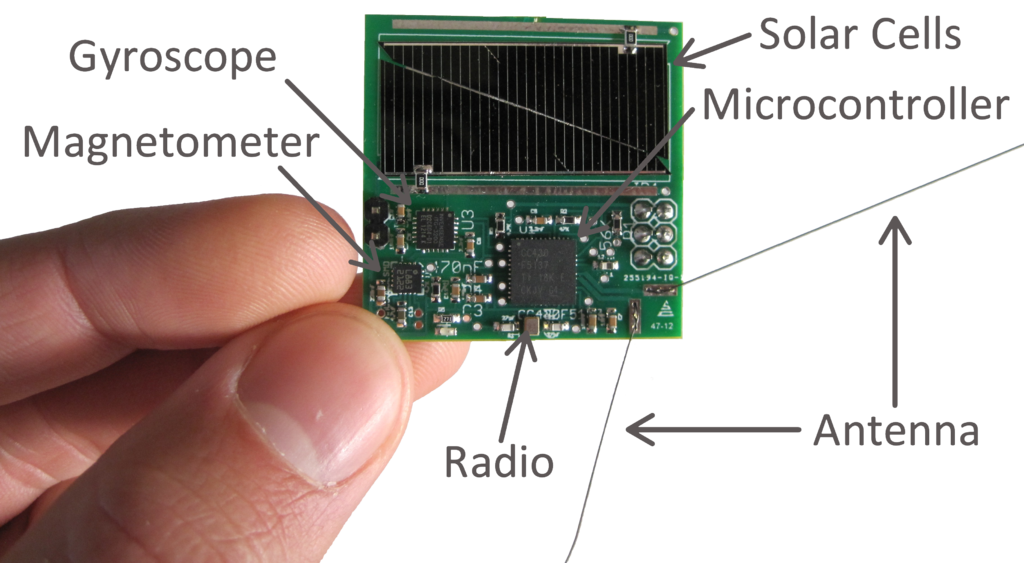
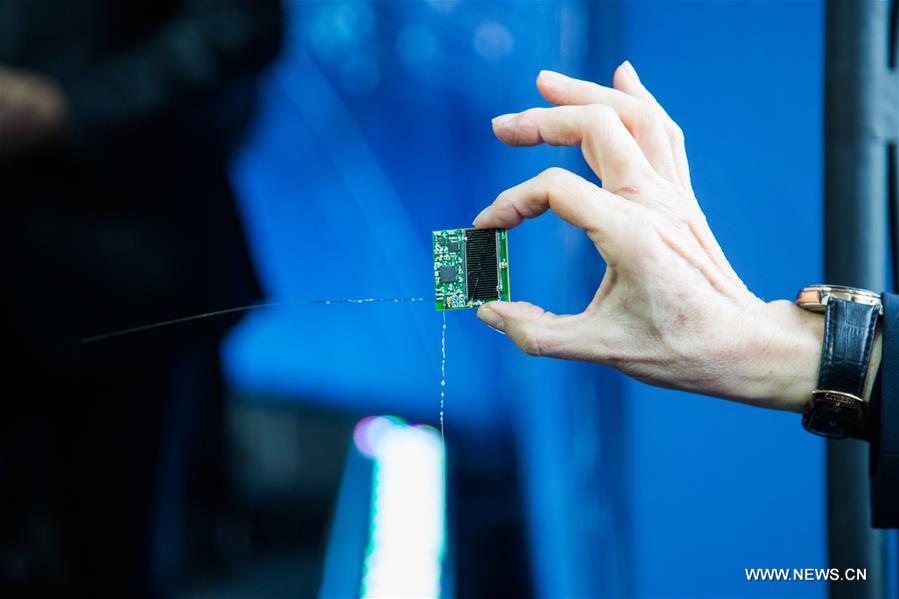
The proposed project called Kicksat-2 is led by Cornell. It will launch hundreds of tiny sticky-note sized satellites to the International Space Station. Each of these devices is a complete spacecraft with solar cells, radio transceiver, and a tiny computer. The purpose is to allow these satellites to field test their navigation and communication systems before they burn up in the orbit.

Zachary Manchester and Mason Peck are the project’s chief engineers. They are also on the advisory committee for Breakthrough Startshot, which aims to make interstellar voyages a reality. Sprites are based on the “chipsat” technology, both of which indicate the possibilities of space travel.

A Cambridge-based non-profit Draper has been developing chipsat technology since 2007. An aerospace engineer associated with the firm said that a chipsat can never replace a big spacecraft but it can do new things like land on a planet. They have thought of sending them to places where a normal spacecraft can’t go.

 Very small and lightweight design impart very high, realistic speeds, reducing years from the time it would normally take. Such supersonic speeds along with state-of-the-art technology will revolutionise space travel and allow risky landings on comets, going beyond the solar system and bringing information back to the earth. Sounds fascinating, huh?

But before we make such advancements, the technology needs to be proven. Manchester’s first Sprites were deported outside of the ISS in 2011. Several years later, even after receiving a large dose of radiation, their hardware was still found to be functioning. We seem to be lucky on this.

[adinserter block=”7″]
Next Page For More

Tagged : /

New iPhone Killer from Samsung at Almost Half the Price!

Apple’s woes seem to be never ending. As such it is witnessing a downfall in its sales, situation in China also seems gloomy (which is a huge market) and now to make matters worse, Samsung has released a new smartphone in China which could easily rival Apple’s iPhone 6 and 6S.

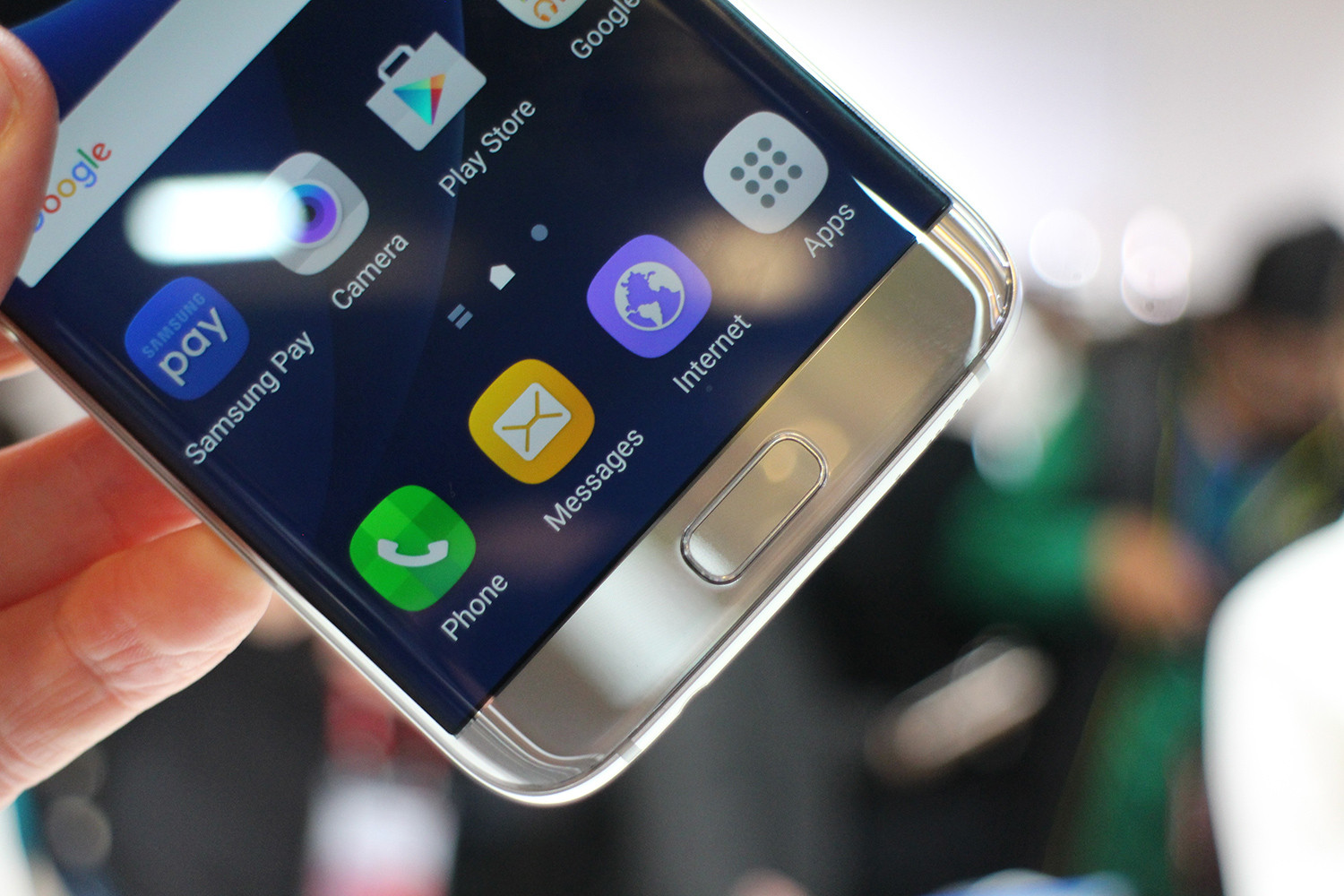
samsung-galaxy-s7-edge-hands-on-14-3-1500x1000

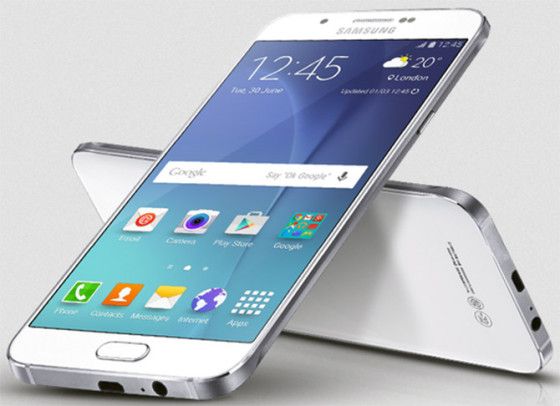
The Galaxy C5 and a bit pricier C7 bear stark resemblance to Apple’s slim design and features. Both these phones include fingerprint sensor, a metal shell with antenna bands and a camera module which is centrally located. And the similarities just don’t stop here; Samsung has also unveiled Apple’s colour finishes of gold and rose.

But the biggest thing that can make things worse for Apple is the price of the new phones. The Samsung models are almost half the price of their Apple equivalent. This move can really prove to be detrimental for iPhone sales.

Samsung-Galaxy-C7-compressor-1

While the Galaxy C5 sells at nearly $A500, including 64 GB storage; iPhone 6 is priced at $A1079. Similarly the Galaxy C7 priced around $A590 (64 GB memory) as against $A1229 for iPhone 6S. Both these Samsung phones though are only available in China, the company is planning to launch the product to wider markets. The United State FCC has recently certified the Galaxy C5 so it may soon appear in the US markets.

[adinserter block=”7″]

As a technology lover you may like our daily important technology news series. It’s a playlist and you can retrieve the total day-wise videos. Please consider subscribing our YouTube channel:

Author: Technology and Beyond

Tagged : /

How to stay safe when you are using public wifi!

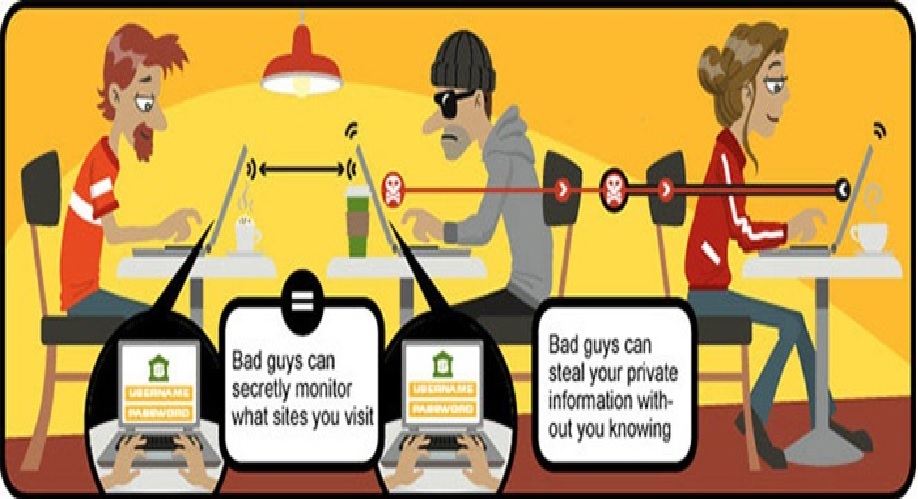
Today when you step out, you will surely come across many public wifi hotspots. And come on, who doesn’t love free wifi on the go? But you need to beware of the risks involved. Read on to know all about using free public wifi:

airportwifi

Read the terms and conditions carefully

In the haste of getting access to the internet, many people click on anything that appears on the screen. These might put them in a lot of trouble. Always ensure to double check what you’re signing up for. Make it a point to read the terms and conditions. Decide carefully if its worth to give the information it is demanding for. You can use an alternative email address if you have, in these times. Another important point is to always connect to official wifi networks that are properly advertised. Many a times, hackers set up free wifi hotspots to catch vulnerable citizens. Do take a note that you don’t fall prey to such traps!

Stick to secure websites and apps

Think a lot when you are about to do something very important over a public wifi. In such networks, it is very easy for anyone on the same network to access your data.  When connecting your phone to the network, try to use a browser than an app. Apps can generally accept fake security information without your knowledge. This can create a mess for you if you are buying stuff online or using net banking. Browsers are much more secure for checking and verifying HTTPS connections. Furthermore, using apps from famous and well-known names will reduce the risk on public wifi although none will provide you a guarantee.

Install a VPN app

VPNs (virtual private networks) redirect your data through trusted and dedicated servers. You can either pay for a reputable VPN service or go for a well established free one. Most of them are available as apps for desktop and mobiles, and they are easy to install and use. This is the really effective way of securing your connections over public networks. Some of the highly recommended VPNs are IPVanish, CyberGhost, Hotspot Shield and Private Internet Access. Also, Opera’s mobile browser has a built-in VPN.

[adinserter block=”7″]

Next Page For More

Tagged : /

Forgot your computer password? Don’t worry! This is how you can still access!

Imagine that you need to access some important files on your computer and you cant log in to your computer just because you don’t have the password, seems horrifying, eh? Don’t worry and check out these easy hacks to access your PC without your password!

AAEAAQAAAAAAAAJdAAAAJDkzNjc4ODk1LWI1NTYtNGFiNi05MTViLWE1ZjY5ZmJmYTZkMw

Method 1 : Change your Windows 8 or 10 Password Online

On a different computer, visit https://account.live.com/resetpassword.aspx. Select “I forgot my password” on the page that opens and click “Next”.

Note that this method will only work if you have a Microsoft account and use it to log into your computer.

Enter your Microsoft account email address. Don’t forget to write the entire email address along with the domain name. In the box below, type the verification code and click “Next”.

Select an appropriate option to receive the password reset code. The options will include the phone number and non-Microsoft recovery email address. Choose either of them and click “Send Code”. You may click to “I don’t have any of these” if that’s the case and below that option, type an accessible e-mail address and click “Next”.

In case, you received the code via your recovery email address or phone number, you can enter the code and click next to reset the password. You can login with your Microsoft account once you confirm your new password. If that was not the case, then you’ll be directed to a form that will verify your identity, try to provide as much relevant information as you can including your old passwords. Microsoft will verify and send you the password reset link on the email address provided.

Method 2: Change your Windows 8 or 10 Password in Safe Mode

Click on the Power icon on the login screen, hold down the shift key and press “restart” along with it.

When the computer restarts, choose “troubleshoot” then “advanced options” then “Startup Settings” and then click “Restart”.

Press 4 or F4 to enter the Safe Mode. You will be taken to a ‘Safe Mode’ login screen.

Login as “Administrator”. You don’t have to enter any password.

Press the ‘Windows’ icon + X, click “control panel” and then “user accounts”.

Select “Manage other accounts”. Now choose your user account to change its password.

Change the password and save it.

Press ctrl+alt+del, then click Power icon and then “Restart”. Now you can login normally with your new password.

[adinserter block=”7″]

Next page For More

Tagged : /

THIS is How you can access tour computer from your Smartphone

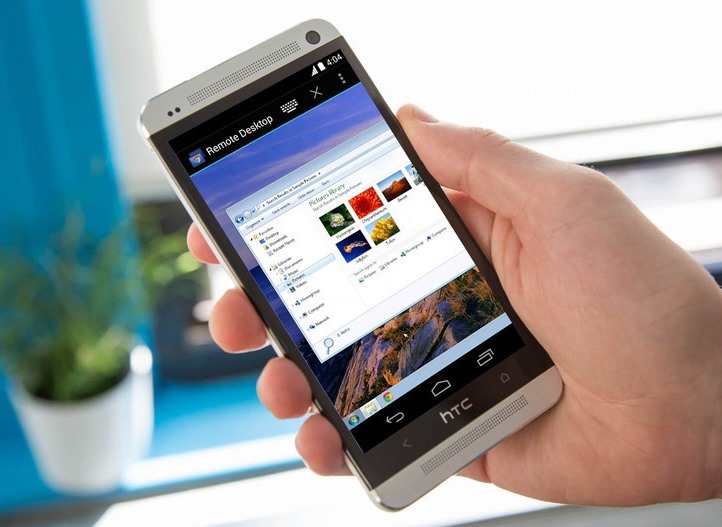
Yes, you read it right! Now you can access your computer with an iPhone as if you are sitting in front of it. The two methods described here work the best and they are free to use too. Let’s have a look at them.

11

Method 1: Using TeamViewer

Install TeamViewer on your iPhone from the AppStore. This app provides support to technicians who make changes your computer over long distances.

Open the app and create a new account by providing your name, email address and a password for your account.

Install the TeamViewer app on your computer using teamviewer.com/en/download/. The two apps will work together to provide a safe control.

Open the TeamViewer app on the computer. Click on ‘computers & contacts’ at the bottom of the screen. In the window that comes up, login using your TeamViewer account details. Minimise TeamViewer, it will run automatically now.

For extra security, set up a personal password by clicking on Extras >> Options >> Security in the TeamViewer app on each computer you want to control.

Now everything is set and you can control you computers from your iPhone in the same way as you do when sitting in front of the computer.

  • Login to the TeamViewer app on your iPhone.
  • Click the Computers icon at the bottom of your screen, and log into your account.
  • Click the My Computers icon to view a list of all the computers.
  • Click the icon next to the computer you want to control. The icon has two arrows in opposite directions.
  • Enter the Personal Password for the computer you want to control.
  • Click the keyboard icon at the bottom right of your screen to access zoom, settings, and a virtual keyboard.
  • Access files, programs, and operate your computer with touch commands as if you were sitting in front of it.
  • To close the connection, click the X icon on the lower left.

[adinserter block=”7″]

Next Page For More

Tagged : /

‘Rolls Royce of Smartphones’: The World’s Most Secure Smartphone is Also the Most Expensive

Dubbed as the ‘Rolls Royce of Smartphones’, Sirin Labs, an Israeli startup has come up with the most expensive smartphone priced at $14,000 (over Rs. 9 lakh). Interestingly, if you are looking for a completely private and secure conversation this is your phone.

The-Worlds-Most-Expensive-Smartphone-for-14000-Over-Rs-9-lakh

It offers military-grade security with hardware based end-to-end 256-bit AES encryption. Your calls and messages will be secured over a FIPS 140-2 certified network, ensuring a complete private communication accessible to intended participants only. You can turn on a completely isolated environment at a flick of a switch located at the back. All calls and messages will be encrypted after it is turned on.

Appearance? The phone sports a 5.5 inch curved Corning Gorilla Glass 4 screen with 16 LEDs backlight to ensure minimum color blending and presenting individual colors in their most distinct form. The Solarin has a 8MP front-facing camera with a dedicated flash. The rear camera is massive 24MP shooter with a four-tone flash module, laser autofocus and f/2.0 aperture lens.

ceaqprqklq-1464759844

Solarin has 3 high-fidelity loudspeakers with 90dB loudness and stereo sound and four surrounding microphones. It also supports Qualcomm aptX quality encoded audio support.

The phone comes with the most cutting-edge of cellular and wireless technology. It supports 24 bands of LTE, high-speed 802.11ac 2×2 MU-MIMO Wi-Fi and WiGI. With all this combined, the phone boasts a downlink of 450Mbps and uplink 150Mbps.

Solarin is powered by Snapdragon 810 Octa-Core 64-bit processor clocked at 2Ghz coupled with Adreno 430 GPU and 4GB of LDDR4 RAM. It also comes with 128GB of internal storage with no option to expand it. It runs on a heavily skinned Android 5.1 Lollipop OS with the latest security patches right upto the month of May.

sirin-labs-solarin-0001-1500x1000

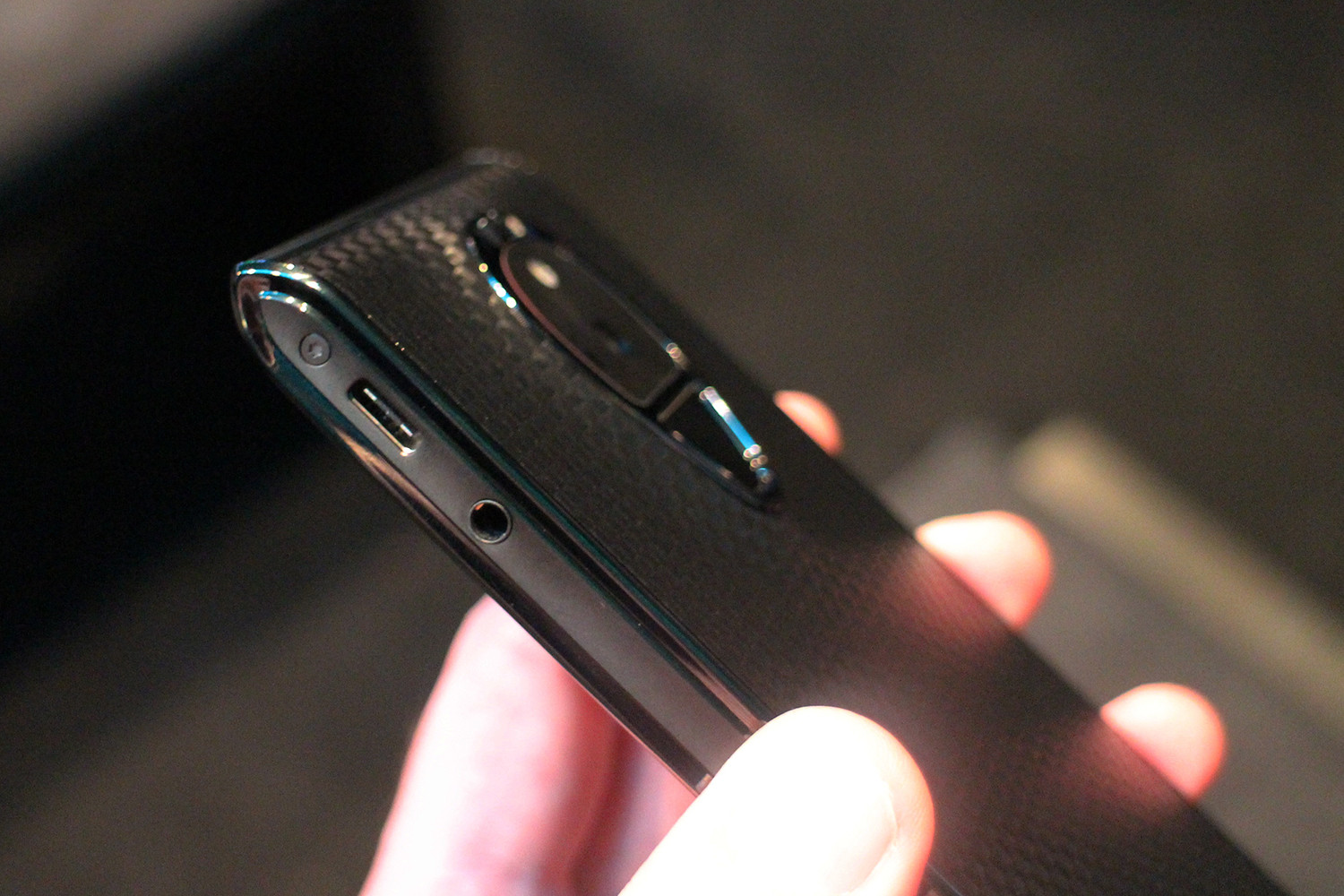
With a 4,000mAh battery with a standby time of over 2 weeks and talk time of up to 31 hours, the Solarin is not a sleek smartphone by any means. It measures a hefty 250 grams and is 11.1 mm thick. The back panel is made of exclusive Italian leather and is available in four colour variants. It features Qualcomm Quick Charge 2.0.

As a technology lover you may like our daily important technology news series. It’s a playlist and you can retrieve the total day-wise videos. Please consider subscribing our YouTube channel:

Author: Technology Vista

Tagged : /

Infinite upgrading of Smartphone components? Why Google’s Ara Modular Phone is a game changer

Moonshot modular phone project named Ara is one of the latest and biggest innovations of Google.

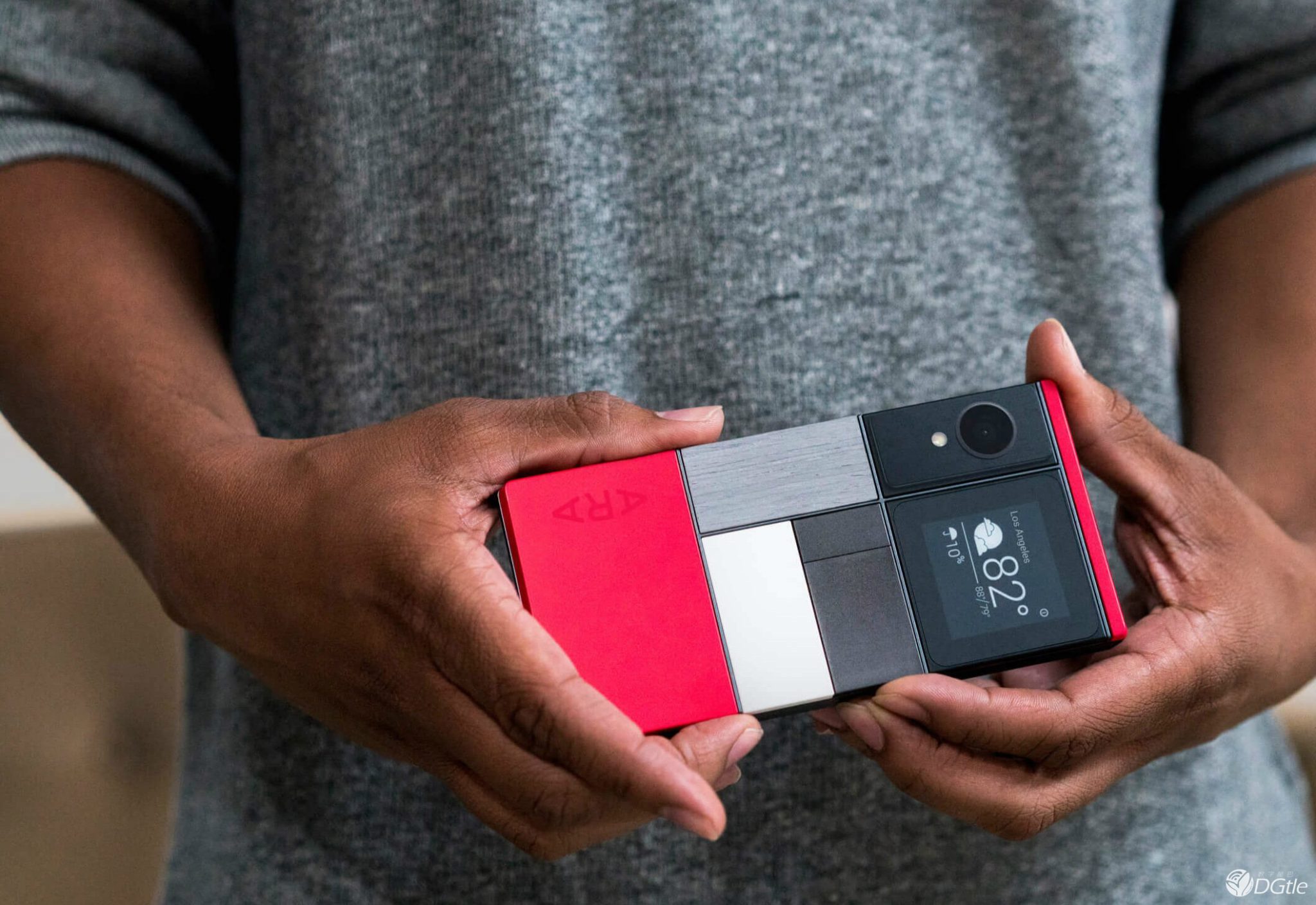
The phone is flexible, which means each part can easily be swapped out and replaced, consequently increasing the life of a smartphone beyond the typical two years. Suppose you don’t like the camera on your phone anymore, you don’t need to spend $500 on a new phone. Ara would allow you camera replacement for a much cheaper cost.

According to Google, consumers are keener in playing with more visual features on phone rather than the main specs such as the processor and graphics card.

Here are the 7 different uses Google is flaunting during the demonstration of the phone.

Camera

one

This is one of the most obvious use case, which Google has demonstrated in past as well. Experiments in the past have been chaotic and cringe worthy as consumers had to wait patiently for the phone to recognize the camera. Ara can really increase the acceptance of mobile photography. Swap out wide-angle lenses, and fish eyes for that artsy shot in the park. Place a kickstand element to the front of your device for enhanced selfie action. Give your phone an enhanced flash for photography under low light scenarios. There is a module for video as well. Cameras are the fastest developing technology on our phones. For example, if you have a device, which is two years old right now, the camera may feel pretty ancient to you, even though the phone is performing well in other areas. There will be easy and quick ways to upgrade any component in the future.

Travel

six

These days, the phone batteries are hardly capable of lasting a day of normal use. Ara allow you to swap in a larger battery to get through the day. Google also says “screens could be modified into an e-reader like Amazon’s Kindle for those long plane rides”.

Fitness

travel

The fitness buffs can gain a lot from Ara. Smartphones cannot perform things that a dedicated fitness tracker can do, so joggers have to buy and carry around separate devices. With Ara, a jogger can swap out pieces to make the device work according to their needs. Step counters, accelerometers, GPS tracking, navigation, and media players are all possible modules that fit to Ara to enhance your fitness experience.

[adinserter block=”7″]

Next Page For More


Audio Recording and Playback

Two

The small speakers that beautify the bottom of most phones are sufficient for personal use only and not for parties or group audio. Throw some bass-heavy speakers on an Ara device and have music which fills the entire house. Ara will have a better audio recording device. Artists record quick sound bites on their phone, but they are usually not studio ready. Ara could easily usher in a new wave of young artists recording better quality songs on their phones.

Snacks

five

This is the most odd feature in Ara in the video where your see a young man watching a movie with his date and needs to refresh his breathe for his first kiss. Thus he opens a section in his phone to expose a mint. Substitute the young man with a much older adult and you could imagine that mint as a Viagra. People will use storage compartments on their phones for credit cards, physical money, or rings and jewelry.

Back Facing Screens and Touch Pads

four

In the video, Google happens to show a woman getting ready to go out, and with a simple touch of one of the back panels a ride is hailed for her. That would certainly make booking Uber easier, but can also lead to a lot of false calls. Google is also flaunting screens on the back of the device, which seem to permanently show regular home screen functions, such as the weather, battery life, and the time.

Fashion

three

Ara is not the prettiest device yet. But, customizing a phone to match your look for the day is new untouched market, which Ara will definitely try to capture.

[adinserter block=”7″]

As a technology lover you may like our daily important technology news series. It’s a playlist and you can retrieve the total day-wise videos. Please consider subscribing our YouTube channel:

Author: Technology and Beyond

Previous Page

Tagged : /

THIS is how you can turn Chrome into a personal language tutor!

Learning new languages are in trend now. People now, want to be fluent in more than one language. Even schools and colleges encourage learning a new language and they have mostly included this in their curriculum. There are several exercises, which are practiced for learning a new language like, listening to radios, watching TV, reading etc. To be perfect, you have to inculcate such lessons in everyday.

Google has this habit of coming out with new apps every day for different purposes, Google, recently, came out with another interesting new app, ‘’, which helps people learn new languages easily and quickly.

To use this app perform the steps given below carefully.

  1. Download and install the app for chrome
  2. Open the app by clicking on the icon, which appears on the ride side of the address bar
  3. Select the language you want to learn
  4. Select the fluency level; you can rate yourself from novice to fluent

Now on visiting any website, you will see words and phrases highlighted and translated to the language you want to learn. You must be careful in checking out the portion that has been translated for building your vocabulary. In case, you are still finding it difficult, click on the translated word and it will be converted back to English. Click again to change it your targeted language.

You can also hear the translated portion using ‘Google Translate’. The app also allows you to make significant setting with Google Translate website, which automatically translates the word into your chosen language.

While you are a novice, only few sentences are translated into the chosen language. The number of translated portions increases with time. The entire paragraph is changed into the chosen language when you select fluent as your option. You can close the app by clicking the icon again and selecting the off option.

Although, translated websites are not perfect always, but its utility depends on how you would like to use the Google translate. Occasionally, you may see spelling mistakes as well, but they are trying to bring remarkable solutions for those, who need assistance in learning and practicing a new language, in their daily routine.

[adinserter block=”7″]

As a technology lover you may like our daily important technology news series. It’s a playlist and you can retrieve the total day-wise videos. Please consider subscribing our YouTube channel:

Author: Technology and Beyond

Tagged : /

Calling all geeks to calculate: How long it takes to fall through the center of the Earth?

People studying science and mathematics, love to calculate things and they simply adore calculating for “assumed situations”. Scientists study earth and its structure on a regular basis and a lot is known about our very own Mother Earth as of now. This time around, the maths community has a very interesting thing for you.

Assume that you were to fall through our Earth from North Pole to South Pole, then how long would it take exactly? Well well… don’t look at us that way… we are not ‘actually’ making you fall through that distance, we are asking you to ‘assume’! So instead of making you fall through that space actually, we will make you fall mathematically with certain assumptions.

  • It was assumed that the Earth has got a hole through it and it goes from north pole to the south.
  • There is no air in the hole otherwise you would reach terminal velocity quite quickly and you will move too slowly.
  • It was assumed that the Earth is perfectly spherical and has the same density everywhere (This is to note that the gravitational attraction from any spherically symmetric object is the same as if all its mass were concentrated at the centre of the object)
  • The parts closer to the sphere attract more and the farther ones attract less but in whole the gravitational pull averages out)
  • So inside the Earth, any parts that are farther away from the centre than you are; basically cancel out each other so that they create a smaller sphere trimming out the outer layers.
  • Assuming the earth also behaves like this shaved sphere, we come to the assumption that the shaved earth’s mass is simply proportional to its volume, which is proportional to its radius cubed and we safely assume that all the mass is concentrated at a single point in the middle.
  • The gravitational attraction between two objects is proportional to their masses but inversely proportional to the distance between them (squared)
  • Calculating on the basis of all the assumptions and mathematical formulae, we arrive at the result- 42 minutes. Yes this is the time you will take to fall through the Earth from North Pole to South Pole.

The calculations done above are based on the assumption that the earth has same density throughout, but if you chart the more detailed density profile then you will come to the more accurate falling-through-the-earth time, which is 38 minutes and 6 seconds from pole to pole.  Apart from the mathematics, the physics behind this fall is similar to that of a moving pendulum.

This means, as you fall, the mass beneath you decreases more quickly as the average gravitational pull on you from that mass increases. But the mass decreases more quickly, so as you approach the centre of the Earth, you start going faster and faster but the force pulling you towards the centre getting smaller. If you are interested and are a maths and physics enthusiast, then you can refer the video below which gives detailed calculations and formulae. Have fun calculating!

width="560" height="314" allowfullscreen="allowfullscreen">

[adinserter block=”7″]
As a technology lover you may like our daily important technology news series. It’s a playlist and you can retrieve the total day-wise videos. Please consider subscribing our YouTube channel:

Author: Technology and Beyond

Tagged : /

5 Amazing yet hidden Windows 10 features you didn’t know about!

Windows 10 has officially been with us for close to a year now, and very less of us has truly explored what it is all about. Mostly people didn’t understand Windows 8.1, but we don’t love the current version either. Here’s some “hidden” features that’d make you feel better about Windows 10.

The hidden battery report:

52421601

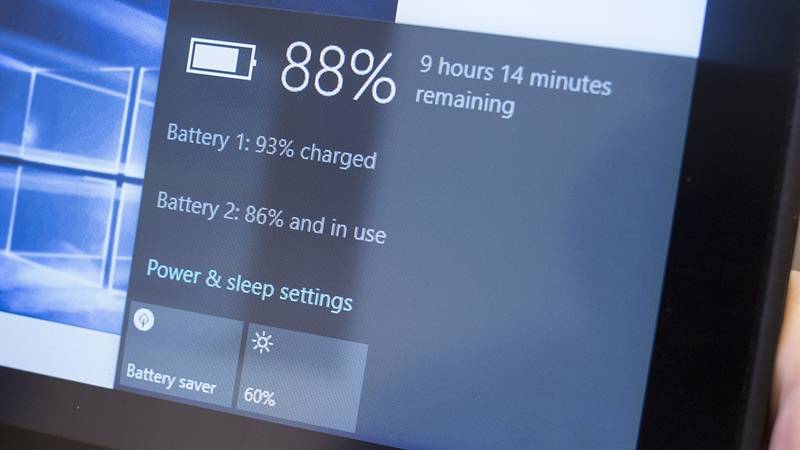
Everyone likes to keep track of their battery consumption, and while the tiny bar does little wonders for accuracy, you can find a more detailed and thorough battery report available too, giving you useful information on its overall health and how much time of use you’re getting between charges.

If you’re using Windows 10 on a tablet or laptop, right-click on the Start menu button then choose Command Prompt (Admin), then type powercfg /batteryreport /output “C:\battery_report.html” into your new command window. Open the HTML file to get a host of useful stats and data on your battery.

This \battery report continues from the older versions of Windows.

Print to PDF:

52421602

Remember when we were forced to use the XPS format with Windows 8? Those days are long gone.

This feature saves the time and trouble of having to mess around with plug-ins to do the same job. You can freely choose an output format you know everyone is going to be able to open and view.

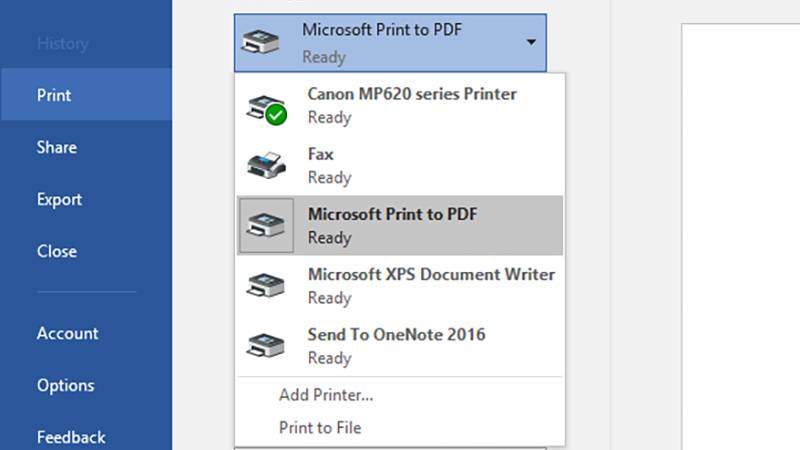
In whatever program you want to print from (standard desktop or universal app), choose Microsoft Print to PDF from the list of available printers. And choose your filename and location.

The God Mode shortcut:

52421603

This one doesn’t take over completely, but it does give you quick and easy access to some of the key parts of the Windows operating system.

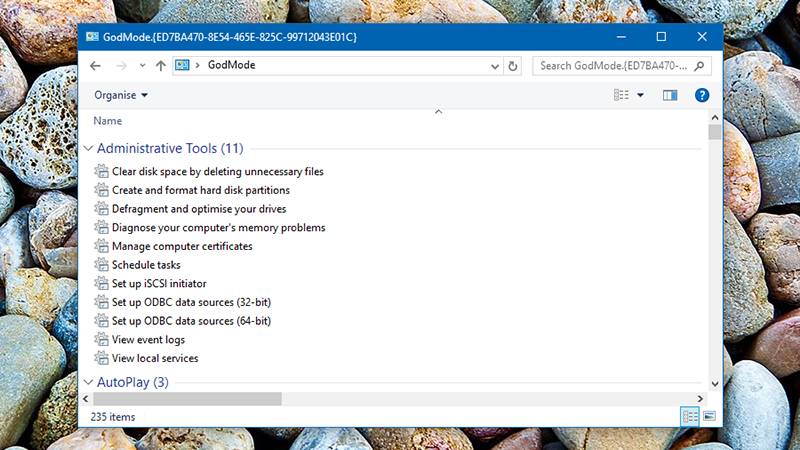
Just create a new folder anywhere you like on your system (the desktop works well) and name it GodMode.{ED7BA470-8E54-465E-825C-99712043E01C} (you can replace “GodMode” with anything you like). A double-click on your newly created folder and you’re in business, able to play around with settings for devices, networks, attached displays and more.

[adinserter block=”7″]

Next Page For More

Tagged : /

First thing first! Install THESE Apps today to unlock the full potential of your Android device!

Android operating system offers a much higher level of customization than its rivals iOS and Windows. Your smartphone has countless pre-installed features, and there’s no dearth of apps for even more.

Here’s a list of android apps that’ll make you regret you didn’t know about them before.

Discreet Notifications:

The AcDisplay app emulates the feature available for phones with AMOLED screens, which lights discreetly when there is a new notification when the screen is locked. With AcDisplay, see your notifications pop up on a minimal beautiful screen, remain for a while and then disappear.

You can instantly access them, or swipe to remove them.

The app also makes use of available sensors (Proximity, accelerometer) to turn on the screen when you take it out of your pocket, or when you pick up from a table.

It consumes surprisingly less of the battery and you’ll be hooked onto it from the start. Install the AcDisplay app from here.

Custom ROM features on your stock ROM

While custom ROMs are always useful, they take are tedious to try and install and to set up.

Gravity Box is a tweak box which brings all those features available in custom ROMs, ready to be implemented as and when you wish. You can tweak almost every aspect of your phone, right from the lock screen to the status bar to the app drawer style. You could spend an hour or so inside the app setting up your phone just the way you want.

You need to root your phone and download the Xposed Framework, through which, you can download Gravity Box. But it’s totally worth it. Download the Xposed Framework first from here and then install Gravity Box from the list of modules.

Bluelight Filter for your nerves:

The exposure of blue light from our smartphone has always been a source of debate about its effects on our circadian cycle and our quality of sleep.

The Twilight app makes your screen adapt to the time of the day. It will filter the blue light emitted by your device after sunset to protect your eyes, with a soft red filter. The filter intensity is adjusted to the sun cycle based on your local sunrise and sunset times. Use Twilight to protect your eyes, when reading in your bed before sleep and get a good night’s sleep. Download the app from here.

Essential information without having to unlock your screen:

The Dashclock widget appears to be a simple clock widget which sits discreetly on your home and lock screen. But, in reality, it could allow you take a peek into the most important notifications with a single glance.

With the Dashclock widgets and the myriad of extensions available in the Play Store, you can get all the information from missed calls to unread emails to cricket scores, right on your lock screen, in a beautiful minimalist way.

It is an extremely lightweight app and consumes minimal battery. Download the widget from here.

Next Page For More

Tagged : /

Unlock the full potential of WhatsApp with these secret hacks!

WhatsApp is a pretty amazing app. People did catch on early on. And now, as its user base continues to grow, it has managed to enter every sphere of your life. Be it friendly chats or business discussions, WhatsApp is here to stay. But are there any benefits of WhatsApp you’re completely missing out on?

To start with, constant notifications irritate us all at some point. And once you have gone online, or read a message, there’s no going back. You’ve to reply, or the person will know. Is there no way out?

Read your messages with ‘Last Seen’ and ‘Read’ status unaltered.

If you want to avoid explaining why you haven’t replied in spite of your ‘last seen’ timestamp and ‘Read’ status updated, you can use this trick.

Dedicate a home screen to a 4×4 WhatsApp widget. All unread messages will appear there, not only the most recent unread message from each chat. Read through all of those messages through the widget and your ‘last seen’ and ‘read’ status will remain unchanged. This really does work like a charm.

Transfer files of any format upto 1 GB on WhatsApp.

What, you thought 16 MB was the limit? An App called WhatsTools sits quietly inside the ‘attach’ button in the chat window (after giving permission using the accessibility service) and allows file sharing of size upto 1GB.

Using this tool, you can bypass the restriction to 16 MB.

You can also pause/resume the upload/download of files and preview video files before downloading. The files are shared through an HTTPS encrypted path and gets stored in your Google Drive account.

Delete old WhatsApp Message Backups and clear space on your phone storage.

Well yeah, your memory filling up- fast. Instead of deleting your precious photos, delete useless chats that have long ended.

To delete the older backup files, go to Internal Storage-> WhatsApp -> Databases.

WhatsApp does a mandatory daily backup in the middle of the night at 02:00. These backups are stored as separate files in the storage memory of your device and with each new backup, containing the thumbnail of all the media received along with newer chats, the file size increases, sometimes to uncomfortable proportions.

This backup to drive feature can also be used while shifting or restoring your phone.

Next Page For More

Tagged : /

No bomb can cross this scanner unnoticed!

Terahertz spectrum examining is possibly the best for searching bombs because of the complete range of materials it can reveal, however it is not practical for baggage checks, Because, for that, you will need both a suitcase-sized machine and about half an hour time to conduct the scan.

MIT researchers have developed a quantum cascade laser system, which shall make terahertz detection a reality. Because the laser’s single, tiny frequency comb merely consumes power for very short periods and you can fit it into the size of a chip without a massive cooling unit, which makes it perfect for airport scanners. It takes only 100 microseconds to identify a substance and hence you do not have to wait too long.

You will not see this quantum cascade lasers at security guys anytime soon because of breakthrough cases happening often. Princeton’s Gerard Wysocki defines this as a “great first step” towards terahertz detection rather than the end goal. The technology is relevant for security scanners, where identifying an exotic explosive can save lives, however, it can also help doctors and scientists to find traces of materials, which might otherwise go unnoticed.

[adinserter block=”7″]

As a technology lover you may like our daily important technology news series. It’s a playlist and you can retrieve the total day-wise videos. Please consider subscribing our YouTube channel:

Author: Technology and Beyond

Tagged : /

Is it going to happen? Will all Americans be Implanted with Microchips by 2017?

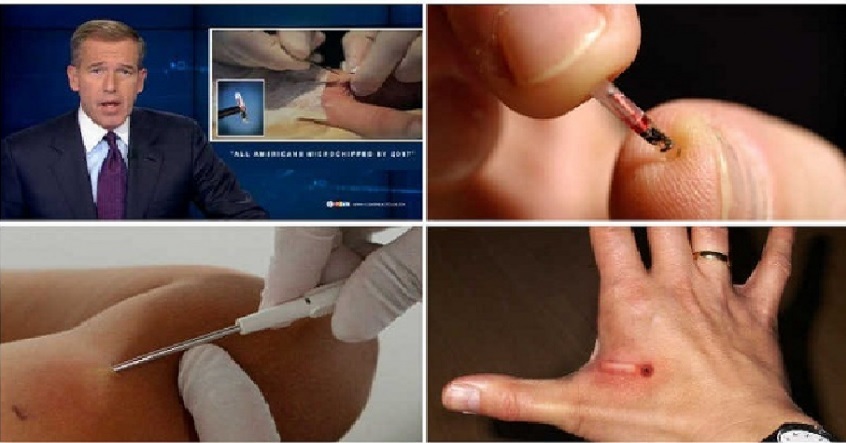
NBC has shockingly predicted that by 2017, all of America will be tagged with microchips. They will be implanted to help identify individuals immediately. Other than the obvious fears and speculations regarding invasion of privacy and giving the government too much power, according to the report, the technology is used to answer one question, “Am I who I say I am?”

In some states, like Virginia, legislation is in process to stop this from happening. The report also reveals an RFID Brain Chip that has been developed and is currently being tested on several humans. With the RFID Microchip the government can track the movement of the people. They can also control the money and food of the population. It is also reported to be possible to even kill the people that don’t obey. Who’s to say it won’t hack into our brains too!?

microchip1

It was reported that the use of Micro-Chips in Bill H.R. 4872 was located on Page 1014 under “National Medical Device Registry” it tells about a “Class II Device That is Implantable” and yes, they passed the bill. Read Page “1014″ In The H.R. 4872 Read Class II Special Controls Guidance For FDA Staff.

Alarmingly, the HR 3962 Bill is an exact copy of the HR 3200 bill in with the exception of just a few words removed concerning the RFID Microchip but the ability to Chip Every Citizen of the United States is still in the bill. Open Bill and Read Pages 1501 through 1510 Read Class II Special Controls Guidance For FDA Staff Read And Do The Research For Yourself.

width="560" height="314" allowfullscreen="allowfullscreen">

As a technology lover you may like our daily important technology news series. It’s a playlist and you can retrieve the total day-wise videos. Please consider subscribing our YouTube channel:

Author: Technology Vista

Tagged : /

THIS is how Google will save you despite your collision with a car!

Google robots have impressed the world time and again. This time, it is the self-driving car, which will impress you with its ability to save lives. It rarely crashes into things on the street, even if it does; it saves the victim in a very unique way.

google-car-patent-large_trans++qVzuuqpFlyLIwiB6NTmJwfSVWeZ_vEN7c6bHu2jJnT8

Google finally managed to get a patent, which it had asked for in 2014. It allows Google to apply a layer of strong adhesive glue on the hood of the car. The purpose is to get the person, who bangs into the car, stuck on the hood of the car and hence, avoiding multiple injuries, which otherwise, the victim would have faced incase of re-bouncing and banging to the road or another vehicle.

The glue, which Google proposed to use, will have an eggshell covering, so that insects don’t get stick to it before it is put to actual use.

BUT WHY WOULD THIS EVEN WORK?

Rebecca Thompson, Head of PUBLIC OUTREACH for AMERICAN PHYSICAL SOCIETY say-

“A single collision with a sticky hood is better from a physics standpoint. Getting hit by a car once is preferable to getting hit by the car, then the ground and then another car.”

As rose comes with thorns, similarly this idea is also not flawless. With a pedestrian stuck on the hood it might be troublesome for the car to move to safety, or the person stuck might be dragged along with some limb dangling under the car causing new injuries. But the advantages of this idea counters for some minimal unforeseen losses.

Yet another plus point is that, since it is a self-driving car, a human driver fleeing from the scenes because of fear and nervousness, will not occur. Thus reducing the count of hit-run cases.

While some other companies like Nissan have come up with ideas like “pop up engine hood “ where tiny explosives are used to slightly raise the hood of the vehicle once the car senses an impact, this idea of Google remains lucratively creative.

This article is not to prove that soon we will see a Human flypaper idea come to life, it’s just a to show that Google is really concerned about keeping more people on the streets alive.

[adinserter block=”7″]
As a technology lover you may like our daily important technology news series. It’s a playlist and you can retrieve the total day-wise videos. Please consider subscribing our YouTube channel:

Author: Technology and Beyond

Tagged : /
Verified by ExactMetrics