
Extra safety tips
- Avoid any downloads as long as you can.
- Ensure that you are not sharing any folders or devices with any other device on the network.
- Open the network and sharing center in Control Panel and deselect the File sharing box for extra protection.
- Don’t forget to log out of websites when you are done with your work.
- Make sure to forget the network after you leave.
- Use different passwords for each of the apps and services.
Be aware of the risks
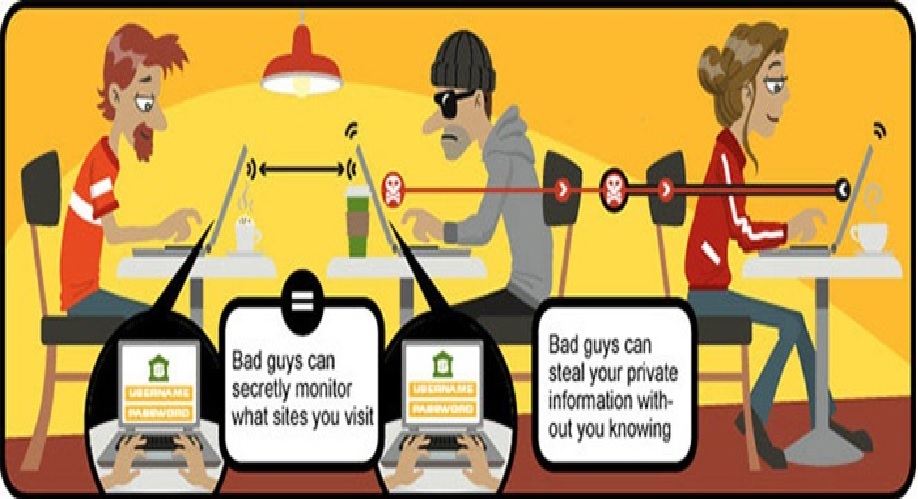
Even if you take all your steps to stay safe and secure, remember that public wifis are more exposed than your personal networks at home or office. Avoid net banking and online shopping on such networks and use your mobile data connection for that purpose. Before you type any personal information or passwords, think twice! Try to use public wifis for activities which doesn’t involve any of these, like reading the news for the day, watching videos or going through Wikipedia.
This article isn’t to scare you of the public wifis. It is just to make you aware of the risks involved. So go ahead and stay connected but make sure you know what’s correct and safe. It is glad to share that the situation is improving and most of the established free wifi providers are trying their best to reduce the security risks to null!
[adinserter block=”7″]
As a technology lover you may like our daily important technology news series. It’s a playlist and you can retrieve the total day-wise videos. Please consider subscribing our YouTube channel:
Author: Technology and Beyond

