
Tablet mode:
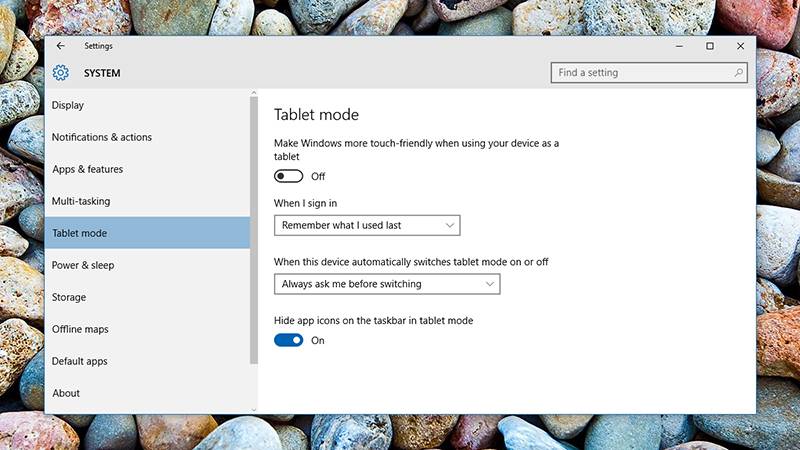
If you’re not using Windows 10 on a tablet, then you might not know about this feature. You can switch to it anytime for a cleaner layout- the Windows 8-style Start screen, and optimizations for touchscreen control.
Click the notifications icon to bring up the Action Center sidebar, then choose Tablet mode to make the change. To tweak the change that Tablet mode makes, go to the main Windows 10 Settings app and pick System then Tablet mode. The dialog lets you choose whether or not app shortcut icons are shown or hidden in the taskbar, for example.
Xbox screen recorder:
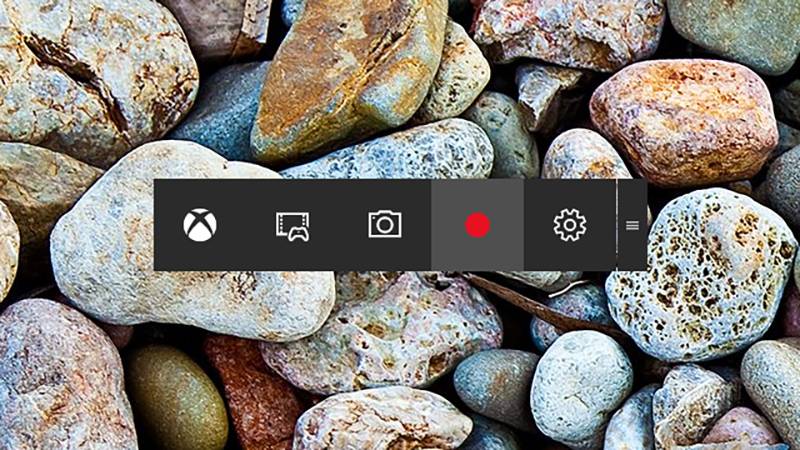
Windows 10 comes with its own screen recording software. Mostly for recording your gameplay exploits, you can use it to record just about anything happening on your display.
Recording activity is limited to the current window but it’s still a useful way of capturing a how-to video, something bizarre that’s popped up on Twitter, and so on.
Launch the Xbox app from the Start menu or taskbar, then navigate to the settings pane (via the gear icon) to get the Game DVR options suitably configured.
Switch to the program you want to record, then use the Win+G keyboard shortcut to bring up the recording console.
[adinserter block=”7″]
As a technology lover you may like our daily important technology news series. It’s a playlist and you can retrieve the total day-wise videos. Please consider subscribing our YouTube channel:
Author: Technology and Beyond

