Engineers aim to save passenger’s lives using a detachable cabin!

There are people who have a phobia of flying. They would do anything to avoid a flight in the most secure of planes. But if you think hard, the phobia isn’t that misplaced. Plane crashes are horrible because there are seldom any survivors. When you fall off straight from the sky, your chances of survival are almost zero- and everyone knows that. Though plane crashes aren’t that common but whenever they happen, a lot of lives are lost. Vladimir Tatarenko may seem like an angel to such people. This aeronautical engineer from Ukraine has come up with a very innovative innovation to save lives in the case of a plane crash. He had been working on this for the last three years.

plane-with-detachable-cabin-1

Tatarenko has come up with a plane design that has a detachable cabin. According to his design, the detachable cabin of the plane will easily eject from the plane in a few seconds in case of an emergency. He has also designed the cabin in such a way that it will be able to land safely on land as well as on water.

plane-with-detachable-cabin-2

plane-with-detachable-cabin-4

If you are worried about the momentum of the cabin then Tatarenko has also considered that. Once the cabin detaches, two gunpowder engines will spring into action to slow down the speed before the parachutes are deployed. He has also made provision of rubber tubes if the cabin was to land on water and stay afloat.

Next Page For More

Tagged : /

THIS is how you install a new memory in your PC

Turning your old computer into a reasonably speedy one is a real possibility. Today’s generation is getting very much accustomed with the new vibrant technologies including laptops, computers and Internet. With computer, came the abundance of software. Currently software like Photoshop, Skype, Dropbox and Web browsers like Chrome/ Safari etc. are must for the users.


These software runs on RAM while the sessions are in process.


Often, 2 to 4 GB of RAM makes it difficult for your computer to run with many essential software. You need to increase your RAM if your PC is finding it difficult to run because of the presence or usage of large number of software.


In today’s context, 4GB is suggested if the computer’s performance requirement is very gentle, but an 8 GB is advised if you are a heavy software user, however 16GB is a superlative option.


Various kinds of RAM’s are available in the market, like, DDR4, DDR2, and DDR3 etc. DDR2 and DDR are older versions of RAM, whereas DDR3 rules the market today. There are different brands of RAM are available for purchase, like, Kingston, Corsair, G.Skill etc. You must keep in mind the design of RAM’s heat sink when selecting a brand. The other important feature to be considered is the speed and memory kit capacity of the RAM. Clock speed should be from 1600HZ to 1866HZ for DDR3 RAM.


Follow the steps below to install new memory in your Personal Computer


Step 1


Shut down your PC and disconnect all the connected cables. Take out the motherboard by opening the CPU.


Step 2


There are four memory slots next to the big heat sink. RAM slots are adjacent to the CPU socket.


Step 3


Remove the old Ram by removing the plastic latch aside of it. Also, remove any dust present on the RAM slot.


Step 4


Now place the new RAM in the slot so that every small socket in the RAM get filled with the slots, you can also read the Motherboard manual, if required. Now lock the RAM with the plastic latch.


Step 5: 

Now put back the PC case and connect all the cables and turn on your PC.


Sometimes the system might take few restarts to adopt your newly introduced memory. So keep calm and have patience. You can use the same steps for any RAM.

width="560" height="314" allowfullscreen="allowfullscreen">

[adinserter block=”7″]

As a technology lover you may like our daily important technology news series. It’s a playlist and you can retrieve the total day-wise videos. Please consider subscribing our YouTube channel:

Author: Technology and Beyond


Tagged : /

Does Elon Musk sound crazy when he talks like THIS?

When Elon Musk- an inventor, an engineer, a business tycoon and a man of US$12.3 billion net worth speaks something, you know it must be something important. Elon Musk who is a strong supporter of sustainable energy production and who is trying to set up a human colony on Mars is always full of ideas. His Hyperloop transportation system is talk of the town. But his ideas range from brilliant to bizarre. Following are the ideas that present Elon Musk in the craziest of light… but who says crazy isn’t brilliant!

Elon-Musk-1-1024x430

Elon Musk’s Gigafactory is going to be huge- a fact that everybody knows, but now Elon Musk has talked about its scale saying that the Gigafactory (which is a battery plant) will be the largest footprint building in the world. He said that it will be so big that it will be like an ‘alien dreadnought.’

Elon Musk is one such person who has debated for quite a long time that humans exist in some advanced civilization’s video game. He believes that we all are just characters in someone else’s computer simulation.

He actually believes that there is only a one-in-billions chance that we are in a base reality instead of a simulation.

Apart from believing in this concept, he also feels that everyone should hope in this idea because in his own words: “Arguably we should hope that that’s true, because otherwise if civilization stops advancing, that may be due to some calamitous event that erases civilization. So maybe we should be hopeful that this is a simulation, because otherwise… we are either going to create simulations indistinguishable from reality or civilizations ceases to exist.”

[adinserter block=”7″]

Next Page For More

Tagged : /

How Internet is accessed from the International Space Station (ISS)?

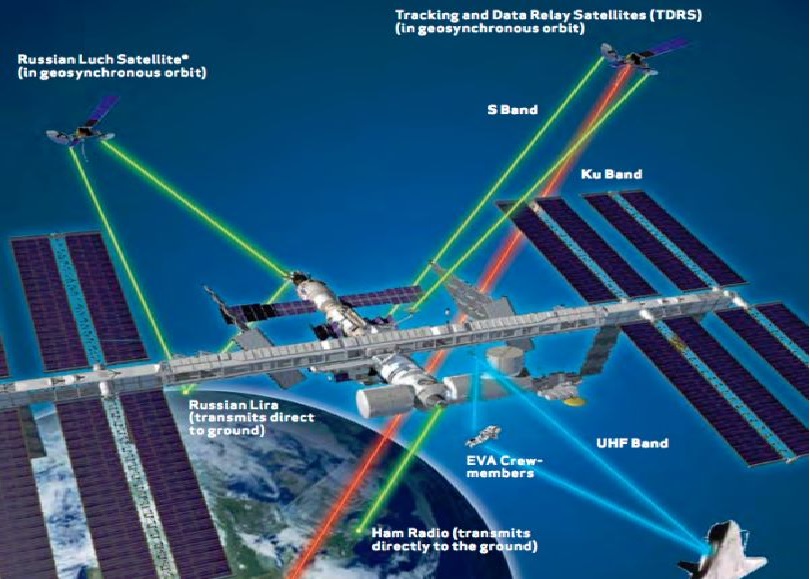
International Space Station (ISS) is a matter of pride for us- human beings as it is the important link between the space and the Earth. But doesn’t it occur to you that while we struggle with our internet signals once we reach a remote or distant location, how do people on International Space Station have access to it and that too without any glitch? Isn’t the space station a remote and distant location? If you delve deep, you will find that the ISS’s internet access is quite interesting.

internet

The basic problems in setting up internet in space are the inability to run a fibre-optic cable from ground to space and a planetary scale Wi Fi is still no less than a dream. This is the reason why the majority of communication with the ISS happens with the help of radio waves.

Radio is quite easy to set up (needing just an antenna and a transmitter) and an easy and straightforward way of broadcasting information. In addition to this, the atmosphere doesn’t block radio waves so the signals don’t get absorbed mid-way. Radio waves are the way we communicate with most of our satellites. The radio frequencies used for the space station communication are different from what we use in our cars. A GPS satellite for instance uses the ‘L band’ frequency range of 1 GHz to 2 GHz.

The radio connection to the ISS isn’t L-band, it’s Ku band (12-18 GHz) and S band (2-4 GHz), but the principle is the same. We can beam a signal up to the ISS, which has an antenna which lets them receive it, and then their computers can download an email.

[adinserter block=”7″] 

Next Page For More

Tagged : /

Introducing ABSYZ

ABSYZ software consulting is coming up rapidly in the cloud computing sector. Founded by 2 young professionals Anshul Jain & Balesh Lakshminarayanan, batch-mates, who were not too keen on enjoying the comfort of their secured jobs, the firm has managed to break even within an year.

Anshul and Balesh named their Company by fusing the Sanskrit word ‘Ab’ which means ‘now’ with the word ‘SYZ’, signifying their endeavours to address futuristic tones. The name is also intended to symbolize the capabilities of ABSYZ to provide A to Z solutions and everything in between. The company was founded in June 2011.

Balesh Lakshminarayanan, who is ithe CTO of the company enjoys 12 years of experience in IT, Consulting and Telecoms, Balesh has been a part of many transformational projects for clients across the world. His solutions are focused on long term usability and strong impact on the bottom-line which explains his natural flair for strategy and planning. Balesh holds 6 salesforce.com certifications.

While Anshul Anshul Jain who is the CEO, has the 12 years of experience in IT and other industries. Anshul also spends his time responding to queries in salesforce.com answer community, making him one of the Top 15 community experts of all time. Anshul holds 5 salesforce.com certifications

Since then it has been a smooth ride for ABSYZ so far. They have managed to establish themselves firmly in the Cloud computing sector as a dynamic partner of Salesforce.com, one of the most highly valued American cloud computing companies specializing in easy-to-use CRM. ABSYZ has targeted small businesses and large scale enterprises for their products and services. ABSYZ specializes on salesforce services and implementation and is providing the very best cloud solutions to business of different sectors and size.

Already showing great consciousness towards corporate social responsibility, ABSYZ recently partnered with Nirmaan Organisation, a constructive citizen movement founded by Bits Pilani students, and worked towards imparting education to children in villages by visiting them in their schools and having employees devote time in teaching them some basic elementary lesson.

oneThough the team went to teach the kids, they in turn, ended up learning more. After spending more than 2 hours with the kids, this is what one of the employees had to say: “It was a very humbling experience. At one end we were disturbed that even 7th and 8th grade students didn’t know basics of English but at the same time the satisfaction of teaching them something fundamental and important was way more rewarding than many other activeties I had done recently.”

two

It was an overwhelming experience for some of them. “It was not just an occasion for teaching, but one for learning so much as well” one of them remarked. A video of their corporate initiative can be seen here.

Counting on a strong foundation of intellect, knowledge and drive and passion, ABSYZ looks set for a steady sail. A summary profile about the founders, Balesh and Anshul, can be seen here.

Author: Jaideep Pandey

Tagged :

The first look and the specifications of the Nokia C1 Android handset!

When was the last time when any of you used a Nokia handset? Ummm…. We know it’s been quite some time! But for those of you who have been thinking about where is ‘Nokia’… we have good news. According to recent reports, Nokia is returning to the smartphone market. Microsoft recently announced it’s offloading of Nokia’s old feature phone business to a Foxconn subsidiary and a Finnish company called HMD Global Oy.

It has been revealed by Nokia that HMD is also acquiring the rights to use the Nokia name on smartphones and tablets for the next ten years. This means, the day is not far when we will see Nokia branded smartphones and tablets run on Adnroid.

According to statement from HMD, it plans to invest $500 million over the next three years to develop and promote products. The money will supposedly come from investors and from profits from the newly-acquired feature phone business. Though it has been made clear that Nokia’s involvement in the new devices will be very limited, it will be a part of HMD’s board and will set mandatory brand requirements and performance related provisions.

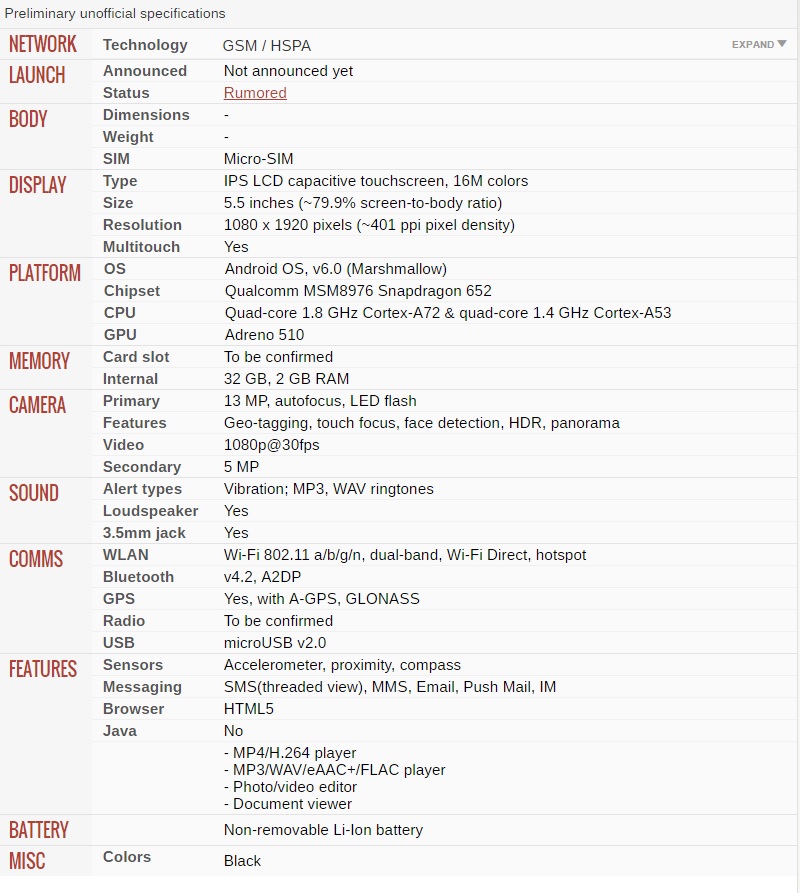
According to anticipation, the expected name of the Nokia’s forthcoming Android model would be Nokia C1. Below is the rumored specification. Please keep it in mind that the specifications are purely speculative.

specsNokia is doing this to ensure that quality handsets are released because it is the goodwill of Nokia that will be at stake if the devices are inferior. FIH Mobile, the Foxconn subsidiary will be the manufacturer of the new HMD smartphones and tablets. The agreement includes HMD’s access to Nokia’s vast arsenal of mobile patents. As to when will we get to see the Nokia handsets and tablets and with what version of Android, that is still under wraps.

As a technology lover you may like our daily important technology news series. It’s a playlist and you can retrieve the total day-wise videos. Please consider subscribing our YouTube channel:

Author: Technology Vista

Tagged : /

Secret Revealed: Airplane bedrooms, where flight attendants sleep on long flights

Long airplane journeys can be very tiring. Has it ever come to your mind where does the crew go to relax during such flights? It may be surprising for you that many of the airplanes today have secret compartments where the crew can take their little naps.

it-depends-on-the-plane-but-usually-crew-rest-areas-are-hidden-behind-the-cockpit-above-first-class-like-on-this-boeing-777

Only a few people get a chance to see these, many don’t even know they exist. So take a look and make sure you don’t miss it!

The rest area for the crews is usually located in front of the airplane, above the first class. The image below shows the location in Boeing 777.

There’s a secret stairway that leads to these compartments. The stairs are located behind a hidden door near the cockpit. Not everyone has access to this door.

secret-stairs-lead-up-to-the-bedrooms-where-the-cabin-crew-sleeps

Some airlines have an overhead hatch that to reach the secret cabins. The one shown here belongs to Boeing 773.

but-some-cabins-are-entered-through-a-secret-hatch-that-looks-like-a-typical-overhead-bin-this-is-on-american-airlines-boeing-773

Sign’s like these on the door direct to the rest areas of the crew.

a-sign-divulges-whats-behind-these-doors-eight-crew-member-bunks-though-youve-probably-never-read-it-that-closely

Up the stairs are cosy windowless bedrooms with enough space for the crew to lay their legs. This image is that of a Boeing 787 Dreamliner.

upstairs-are-cramped-windowless-bedrooms-with-eight-beds-or-seven-depending-on-the-airline-this-is-the-cabins-rest-area-on-the-boeing-787-dreamliner

While some of the flights have bunk beds in these cabins.

Pilots too have their overhead sleeping compartments, which have two sleepy berths and two business class seats. There is also ample space for a closet, sink and lavatory.

on-the-boeing-777-pilots-have-their-own-overhead-sleeping-compartments-which-feature-two-roomy-sleeping-berths-as-well-as-two-business-class-seats-and-enough-room-for-a-close

The bedrooms generally have reading lights, heavy curtains, hooks, mirrors and storage space. They also have blankets and pillows for a comfy nap.

The crew seems to be enjoying their comfortable space.

the-crew-certainly-seems-to-enjoy-the-overhead-rest-areas-on-boeing-777s-which-depending-on-the-airline-can-fit-six-to-10-bunks-as-well-as-personal-storage-space-for-each-cre

There is an emergency exit too under one of the beds which gets back to the main cabin.

[adinserter block=”7″]

As a technology lover you may like our daily important technology news series. It’s a playlist and you can retrieve the total day-wise videos. Please consider subscribing our YouTube channel:

Author: Technology and Beyond

Tagged : /

This is HOW you can access another computer from your own computer!

How wonderful it would be if you could access your important work files from your office computer while being at your home? You may be surprised but it is possible. You can even get a technician to control your home computer screen even if he is sitting in his office. Many ways to do this exist, a few of them are listed below. Hope you find them worth your time!

Method 1: Windows Remote Desktop

maxresdefault

For this method, you need to be connected to the computer you want to access via the same shared network. This can be done by connecting both to the same wifi or through a VPN. You also need to enable ‘Remote Desktop’ on the computer you want to have access to. For this:

  • Click Start->Control Panel->System and Security->System. Or you can press Windows key + Pause key.
  • Select the ‘Remote Settings’ link on the left side.
  • Tick the ‘Allow remote connections to this computer’ checkbox. If you wish to change some of the advanced options, you may do so under the ‘Advanced’ button.

Now, choose the users you want to allow access to the computer. This can be done by clicking on the ‘Select Users’ button and then selecting the ‘Add’ button.

You also need to know the system name so that you can find it to connect. Press Windows key+pause. The name will be found in the ‘Computer name’ entry.

Make sure the computer is not in the Sleep mode. To disable it :

  • Go to Control Panel->Power Options.
  • Click on ‘Change plan settings’ link.
  • Set Sleep and Hibernate to Never and save the changes.

Now, start the computer you want to connect to the remote computer. Choose Start and search for ‘remote desktop connection’. Open it.

  • Type the system name of the computer that you want to connect to.
  • Type your username.
  • Use ‘Show Options’ to change the advanced options for this connection.
  • Click on Connect. Once you are connected, the other computer’s desktop screen will appear on your computer in a different window. You can control it normally.

To connect to your remote computer over the internet, open port 3389 on the firewall of the remote computer. It is advised to have a very secure password because this exposes your desktop to the internet. After opening ports, enter the public IP address of the computer to connect to it.

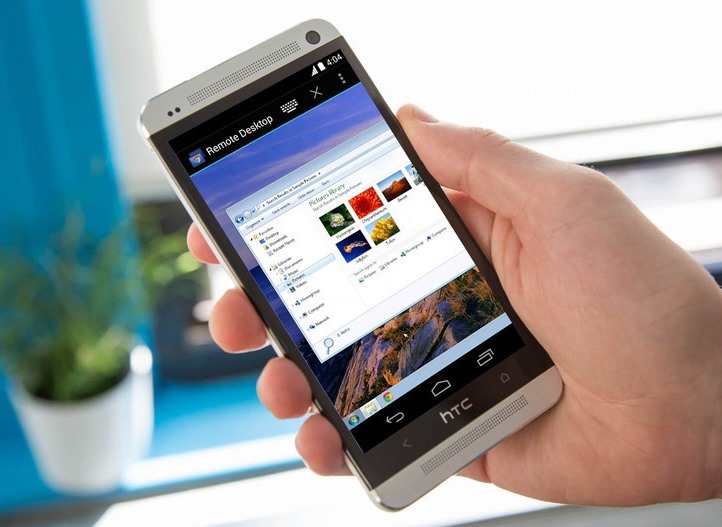
You can also use the official Microsoft app to connect with Windows 8 or 8.1 Professional desktops. You just have to configure Remote Desktop on the computer.

[adinserter block=”7″]

Next page For More

Tagged : /

This is what Google knows about you and this may make you uneasy!

You have a question… you type it in Google search and try to find an answer. You don’t know about a place… you try finding it through Google maps. You had missed that popular video going viral a couple of days back… Google gets it for you. If you consider it… does a single day go by without you using Google on your smartphone, laptop or PC? The answer in all probability would be no! While doing all above things do you feel apprehensive about the things that Google knows about you? If you do, then no problem because you are not alone and also Google doesn’t even want to hide what it knows about you.

Google knows what places you have visited

Google-Location-History

For Android users, it is one of the most basic information that Google knows about you owing to your device. You can actually see your timeline of locations, trips, the places you have visited most frequently and the routes you generally trace while reaching someplace. The tool also helps you to check specific days to check specific locations you have travelled to. And if you do not like this ‘tracking’ thing then simple, you can very well pause the location history

It has a profile of you based on your history

Google-Profile

Google-Profile-interests

Google actually keeps account of your interests, your age, gender hobbies etc. This is the reason why you see advertisements according to your interest. It manages to do so, on the basis of a database of the websites visited by you like Search, YouTube, etc. A service known as Google Analytics lets publishers see the pages you have visited, the number of times you have visited them and the amount of time you spent on a particular page. But you have all the rights to opt out of this service by installing the Google Analytics Opt-out browser add-on available for Chrome, Firefox, Opera, Internet Explorer and Safari.

It also keeps track of your search history, voice activity and YouTube history

Google-Web-App-Activity

Google-Privacy-turn-off-activity

Whether you are aware of this or not, Google keeps a database of all your searches made on the Google app in mobile devices and on the web in the Google History page. Even your voice and audio activity are also being tracked- so much so that you can literally play your voice commands from the history page. But if you do not like this tracking, you can delete all these details by hitting the three-dot button on the top right and after selecting delete you can delete all the activities from today, yesterday, past month or all time.

[adinserter block=”7″]

Next Page For More

Tagged : /

5 New Trends To Expect With Virtual Reality!

As you’ve no doubt heard by now, virtual reality is coming and coming quickly. Leading headsets have been demo’d and tested publicly pretty much throughout 2016 so far and in a matter of months we’re expecting at least a few of them to be available to the mass market.

While we’ve all been free to imagine incredible and immersive VR gaming experiences, what specific changes will these new tech gadgets bring to our lives with regard to entertainment? It’s hard to say exactly until the headsets are on store shelves and games (and other programs) are widely released. But based on a combination of news and speculation, here are a few trends to expect.

We’ll see an early wave of games based more on creativity than traditional gameplay. Arguably the most high profile demonstration of a VR experience to date showcased Minecraft on Oculus Rift, and it revealed a game in which players can create worlds as if they’re actually walking through them. We’ve also seen some other early VR demos that are almost artistic in nature and more grounded in augmented reality (meaning the environment resembles the room you’re in but you can touch and manipulate imagined materials within that space).

Traditional video games are fast, detailed, and frankly daunting even to some players who are excited about the prospects of VR. Creative experiences, however, can still show off the power and fun of VR without the risk of jarring visuals or clunky gameplay.

We could also see the formation of a new branch of popularity for tabletop card and casino games. Those who haven’t stayed closely involved with the development of online casinos may not be aware, but there’s actually a very high level of sophistication with this style of gaming already.

The games hosted at Betfair cover the full spectrum of tabletop casino experiences while approximating their own form of virtual reality on a computer screen. That is to say rather than simply showing you a screen with crudely animated cards or roulette wheels, this site generates interactive experiences with realistic graphics, live opponents, and in some cases video feeds of real live dealers. These experiences worked into VR would be simpler than most gaming adaptations and would spread a lucrative genre to the new format, which makes them seem like a likely early development.

[adinserter block=”7″]

Next Page For More

Tagged : /

Small is big! Tiny spacecrafts are being designed to reach Alpha Centauri!

Russian billionaire Yuri Milner recently showed his interest in developing spacecraft that can travel at upto 20% the speed of light. This would make the travel time to reach Alpha Centauri less than twenty years. It seemed pretty clear that for this mission, extremely lightweight spacecrafts have to be made. Also, no human would be suitable for such a space travel, hence appropriate robots need to be developed. A new species of tiny satellites seem to be capable.

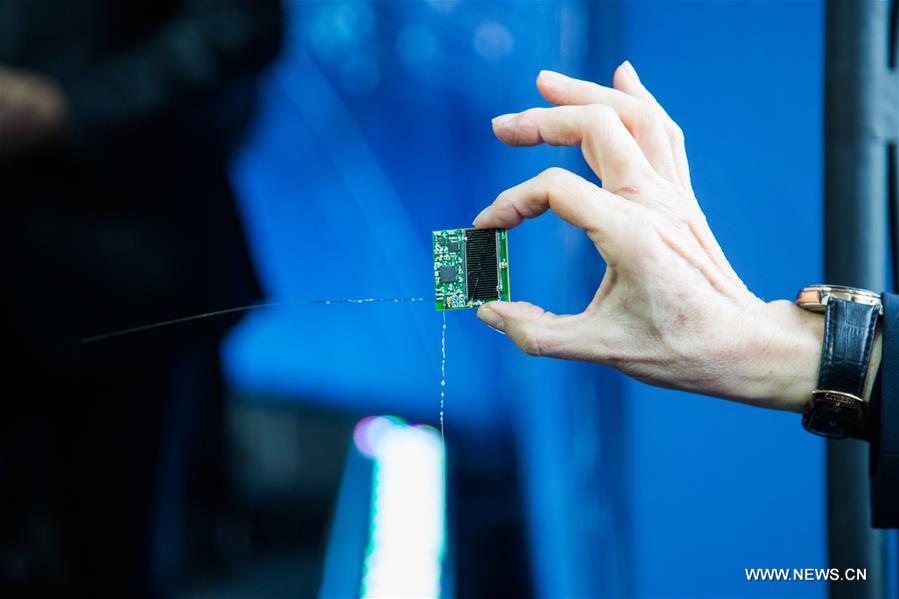
11052604485741830082

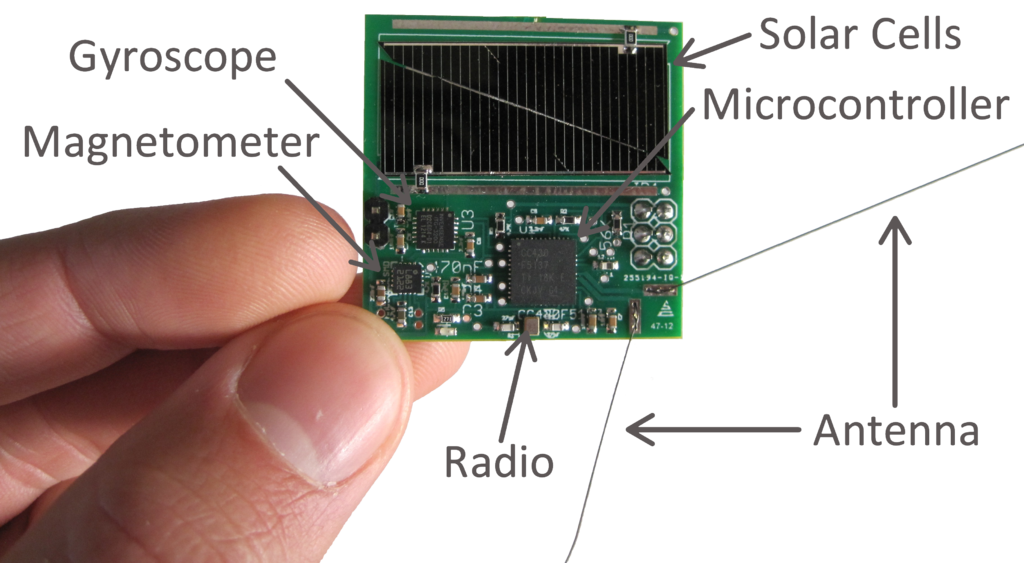
The proposed project called Kicksat-2 is led by Cornell. It will launch hundreds of tiny sticky-note sized satellites to the International Space Station. Each of these devices is a complete spacecraft with solar cells, radio transceiver, and a tiny computer. The purpose is to allow these satellites to field test their navigation and communication systems before they burn up in the orbit.

Zachary Manchester and Mason Peck are the project’s chief engineers. They are also on the advisory committee for Breakthrough Startshot, which aims to make interstellar voyages a reality. Sprites are based on the “chipsat” technology, both of which indicate the possibilities of space travel.

A Cambridge-based non-profit Draper has been developing chipsat technology since 2007. An aerospace engineer associated with the firm said that a chipsat can never replace a big spacecraft but it can do new things like land on a planet. They have thought of sending them to places where a normal spacecraft can’t go.

 Very small and lightweight design impart very high, realistic speeds, reducing years from the time it would normally take. Such supersonic speeds along with state-of-the-art technology will revolutionise space travel and allow risky landings on comets, going beyond the solar system and bringing information back to the earth. Sounds fascinating, huh?

But before we make such advancements, the technology needs to be proven. Manchester’s first Sprites were deported outside of the ISS in 2011. Several years later, even after receiving a large dose of radiation, their hardware was still found to be functioning. We seem to be lucky on this.

[adinserter block=”7″]

Next Page For More

Tagged : /

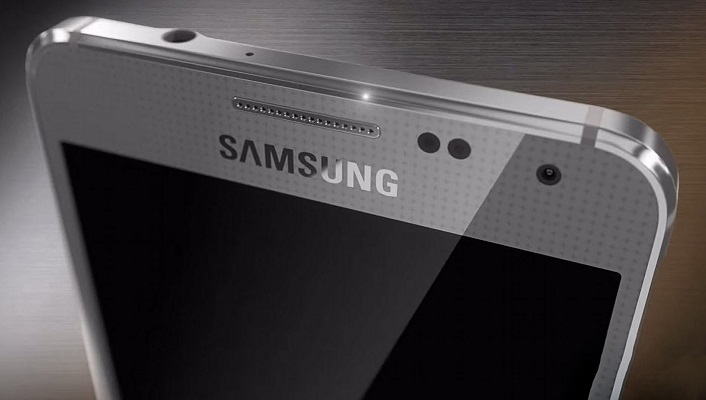
New iPhone Killer from Samsung at Almost Half the Price!

Apple’s woes seem to be never ending. As such it is witnessing a downfall in its sales, situation in China also seems gloomy (which is a huge market) and now to make matters worse, Samsung has released a new smartphone in China which could easily rival Apple’s iPhone 6 and 6S.

samsung-galaxy-s7-edge-hands-on-14-3-1500x1000

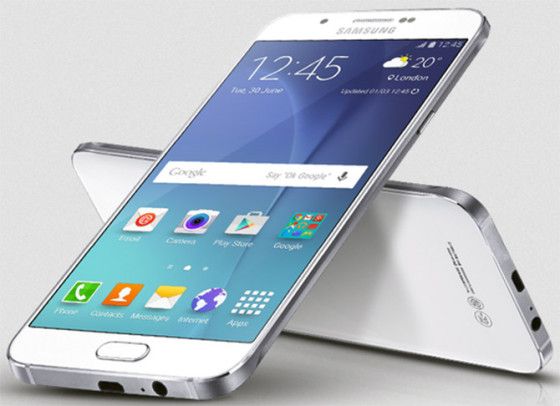
The Galaxy C5 and a bit pricier C7 bear stark resemblance to Apple’s slim design and features. Both these phones include fingerprint sensor, a metal shell with antenna bands and a camera module which is centrally located. And the similarities just don’t stop here; Samsung has also unveiled Apple’s colour finishes of gold and rose.

But the biggest thing that can make things worse for Apple is the price of the new phones. The Samsung models are almost half the price of their Apple equivalent. This move can really prove to be detrimental for iPhone sales.

Samsung-Galaxy-C7-compressor-1

While the Galaxy C5 sells at nearly $A500, including 64 GB storage; iPhone 6 is priced at $A1079. Similarly the Galaxy C7 priced around $A590 (64 GB memory) as against $A1229 for iPhone 6S. Both these Samsung phones though are only available in China, the company is planning to launch the product to wider markets. The United State FCC has recently certified the Galaxy C5 so it may soon appear in the US markets.

[adinserter block=”7″]

As a technology lover you may like our daily important technology news series. It’s a playlist and you can retrieve the total day-wise videos. Please consider subscribing our YouTube channel:

Author: Technology and Beyond

Tagged : /

How to stay safe when you are using public wifi!

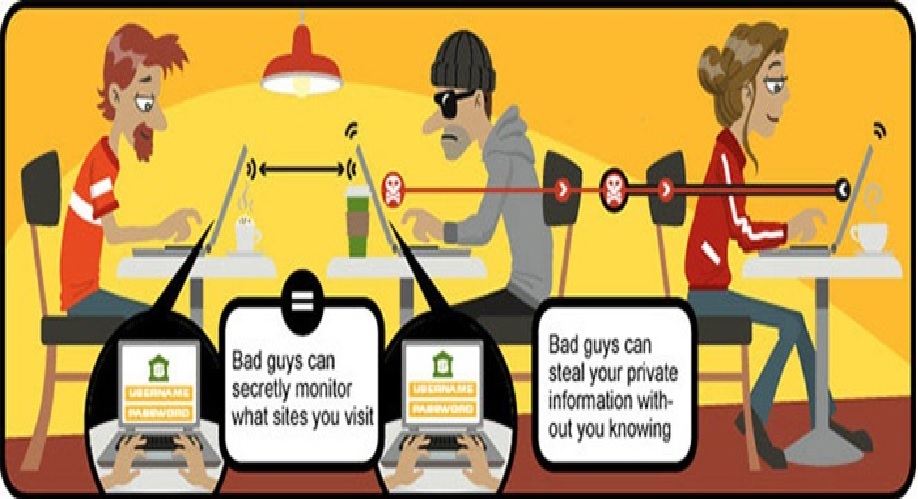
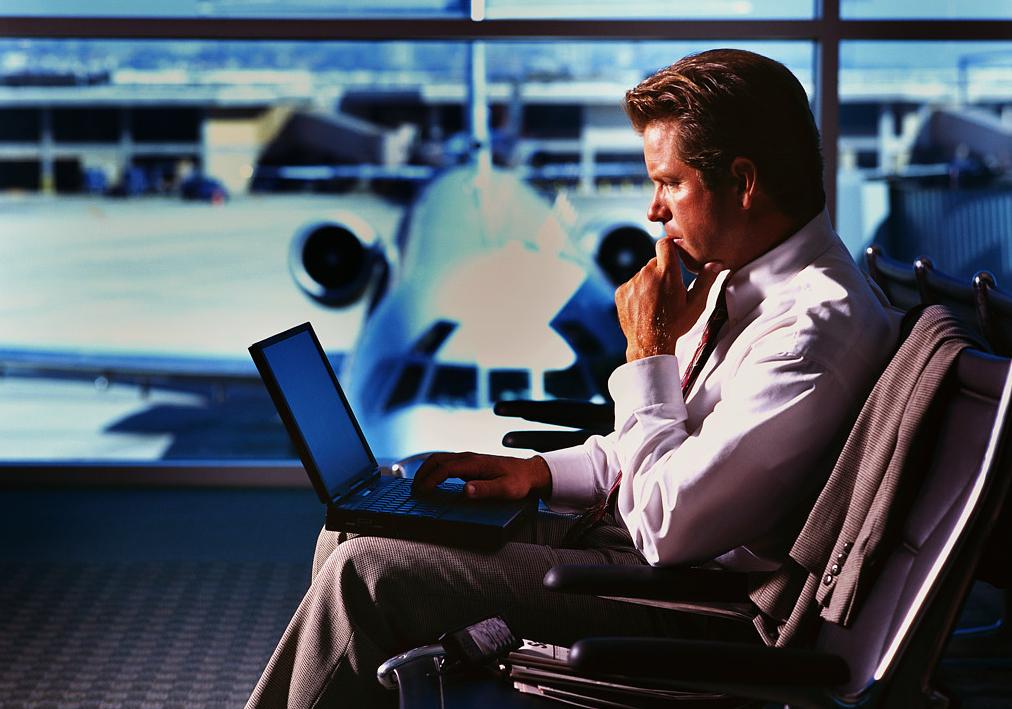
Today when you step out, you will surely come across many public wifi hotspots. And come on, who doesn’t love free wifi on the go? But you need to beware of the risks involved. Read on to know all about using free public wifi:

airportwifi

Read the terms and conditions carefully

In the haste of getting access to the internet, many people click on anything that appears on the screen. These might put them in a lot of trouble. Always ensure to double check what you’re signing up for. Make it a point to read the terms and conditions. Decide carefully if its worth to give the information it is demanding for. You can use an alternative email address if you have, in these times. Another important point is to always connect to official wifi networks that are properly advertised. Many a times, hackers set up free wifi hotspots to catch vulnerable citizens. Do take a note that you don’t fall prey to such traps!

Stick to secure websites and apps

Think a lot when you are about to do something very important over a public wifi. In such networks, it is very easy for anyone on the same network to access your data.  When connecting your phone to the network, try to use a browser than an app. Apps can generally accept fake security information without your knowledge. This can create a mess for you if you are buying stuff online or using net banking. Browsers are much more secure for checking and verifying HTTPS connections. Furthermore, using apps from famous and well-known names will reduce the risk on public wifi although none will provide you a guarantee.

Install a VPN app

VPNs (virtual private networks) redirect your data through trusted and dedicated servers. You can either pay for a reputable VPN service or go for a well established free one. Most of them are available as apps for desktop and mobiles, and they are easy to install and use. This is the really effective way of securing your connections over public networks. Some of the highly recommended VPNs are IPVanish, CyberGhost, Hotspot Shield and Private Internet Access. Also, Opera’s mobile browser has a built-in VPN.

[adinserter block=”7″]

Next Page For More

Tagged : /

Forgot your computer password? Don’t worry! This is how you can still access!

Imagine that you need to access some important files on your computer and you cant log in to your computer just because you don’t have the password, seems horrifying, eh? Don’t worry and check out these easy hacks to access your PC without your password!

AAEAAQAAAAAAAAJdAAAAJDkzNjc4ODk1LWI1NTYtNGFiNi05MTViLWE1ZjY5ZmJmYTZkMw

Method 1 : Change your Windows 8 or 10 Password Online

On a different computer, visit https://account.live.com/resetpassword.aspx. Select “I forgot my password” on the page that opens and click “Next”.

Note that this method will only work if you have a Microsoft account and use it to log into your computer.

Enter your Microsoft account email address. Don’t forget to write the entire email address along with the domain name. In the box below, type the verification code and click “Next”.

Select an appropriate option to receive the password reset code. The options will include the phone number and non-Microsoft recovery email address. Choose either of them and click “Send Code”. You may click to “I don’t have any of these” if that’s the case and below that option, type an accessible e-mail address and click “Next”.

In case, you received the code via your recovery email address or phone number, you can enter the code and click next to reset the password. You can login with your Microsoft account once you confirm your new password. If that was not the case, then you’ll be directed to a form that will verify your identity, try to provide as much relevant information as you can including your old passwords. Microsoft will verify and send you the password reset link on the email address provided.

Method 2: Change your Windows 8 or 10 Password in Safe Mode

Click on the Power icon on the login screen, hold down the shift key and press “restart” along with it.

When the computer restarts, choose “troubleshoot” then “advanced options” then “Startup Settings” and then click “Restart”.

Press 4 or F4 to enter the Safe Mode. You will be taken to a ‘Safe Mode’ login screen.

Login as “Administrator”. You don’t have to enter any password.

Press the ‘Windows’ icon + X, click “control panel” and then “user accounts”.

Select “Manage other accounts”. Now choose your user account to change its password.

Change the password and save it.

Press ctrl+alt+del, then click Power icon and then “Restart”. Now you can login normally with your new password.

[adinserter block=”7″]

Next page For More

Tagged : /

THIS is How you can access tour computer from your Smartphone

Yes, you read it right! Now you can access your computer with an iPhone as if you are sitting in front of it. The two methods described here work the best and they are free to use too. Let’s have a look at them.

11

Method 1: Using TeamViewer

Install TeamViewer on your iPhone from the AppStore. This app provides support to technicians who make changes your computer over long distances.

Open the app and create a new account by providing your name, email address and a password for your account.

Install the TeamViewer app on your computer using teamviewer.com/en/download/. The two apps will work together to provide a safe control.

Open the TeamViewer app on the computer. Click on ‘computers & contacts’ at the bottom of the screen. In the window that comes up, login using your TeamViewer account details. Minimise TeamViewer, it will run automatically now.

For extra security, set up a personal password by clicking on Extras >> Options >> Security in the TeamViewer app on each computer you want to control.

Now everything is set and you can control you computers from your iPhone in the same way as you do when sitting in front of the computer.

  • Login to the TeamViewer app on your iPhone.
  • Click the Computers icon at the bottom of your screen, and log into your account.
  • Click the My Computers icon to view a list of all the computers.
  • Click the icon next to the computer you want to control. The icon has two arrows in opposite directions.
  • Enter the Personal Password for the computer you want to control.
  • Click the keyboard icon at the bottom right of your screen to access zoom, settings, and a virtual keyboard.
  • Access files, programs, and operate your computer with touch commands as if you were sitting in front of it.
  • To close the connection, click the X icon on the lower left.

[adinserter block=”7″]

Next Page For More

Tagged : /
Verified by ExactMetrics