Some common iPhone problems that you can solve in a jiffy

Your iPhone is your status, your heart and not to forget your best friend because this is what keeps you connected to the world. But just like any other smartphone, it has its sets of problems. But if you know how to tackle these then you will not get irritated when you are stuck with one of the most common problems in an iPhone. So go ahead and sort them yourself…. With a little help from this post!

The screen just ‘froze’

iphone-3

We know…. This is one of the most annoying things but what can be done if it happens is what matters. First try to shut it off and on, and if that doesn’t work- hard reset the device. To hard reset the device, just hold on the home button and the power button at the same time for about 10 seconds until the Apple logo appears on the screen. But you have to be careful while doing this because this may result in loss of some data.

The low battery problem

iphone-2

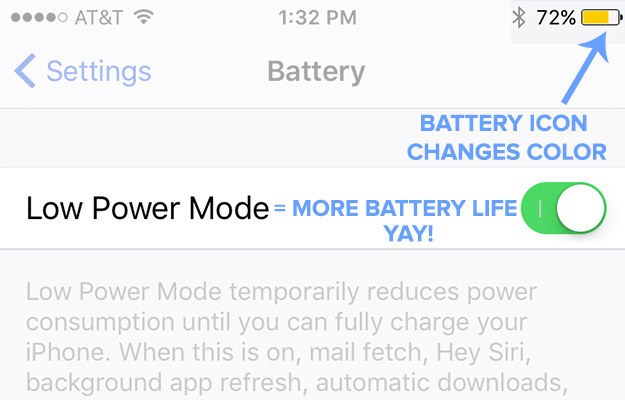
This one is also not something that the iPhone users don’t know about. You know the feeling of battery running out even before your day is over. In such situations, go to Settings>General>Battery and enable the Low Battery option followed by turning off the Battery Assist. In addition to this, go to Settings> Battery to see which apps are draining away your battery and shut them off.

“The storage is almost full” caption

iphone-1

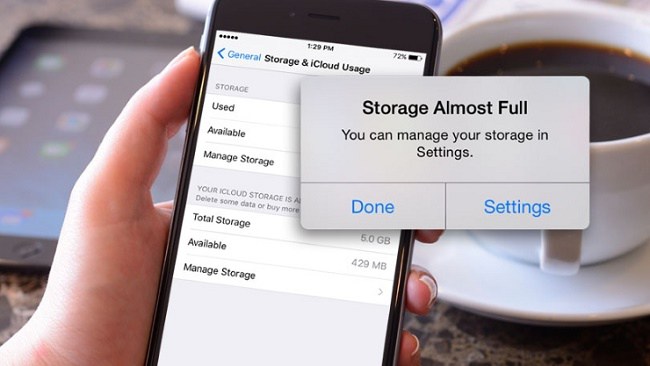
You know this if you are an iPhone user because iPhones like other   Android phones doesn’t have a memory card slot so you can’t extend its memory using one! So the best option is to buy the iPhone with 128GB storage. But if you have exhausted all your storage, you don’t need to panic. Just go to Settings>General>Storage>Manage storage and check what I causing the problem. Also, use Google Photos to store unlimited photos and videos to save that precious storage.

Next Page For More

Tagged : /

5 essential things we want from the iPhone 7. What’s your wishlist?

The launch of iPhone 7 won’t be official for some more time, however, leaks reveal that the final design of Apple’s 2016 smartphones will be quite similar to iPhone 6 series. Even though iPhone makers are not making a radical design, yet it will not be boring.

Nevertheless, latest rumors from Japanese news site Nikkei, marked by 9to5Mac, states that the “iPhone 7” will essentially be a new member of the iPhone 6 family instead of a brand new iPhone generation with a new model number, like “7.” This is an absolutely new move by Apple, however if other rumors about the next iPhone were true, it wouldn’t be totally unusual.

Meanwhile we are uncertain about what it’ll be called, Lets call it the next iPhone.

Two different models expected with different screen sizes

The next iPhone will mostly come in two sizes just like the iPhone 6 generation, comprising the usual 4.7-inch screen model and a Plus, model with a 5.5-inch screen.

There may be a dual-lens camera but, it may be present only in bigger Plus model. So, apart from these physical specifications what do we expect from Apple iPhone7? Here is our wishlist below. Please go through it and let us know if your wishlist matches ours?


[adinserter block=”7″]

As a technology lover you may like our daily important technology news series. It’s a playlist and you can retrieve the total day-wise videos. Please consider subscribing our YouTube channel:

Author: Technology and Beyond

Tagged : /

This is how you can create password protected folders without using any software

If more than one people use your device then securing personal files/software can be an issue.

Here is, how you can secure your files by creating a password for it.

Create a new ‘Text Document’ in a new folder, by right clicking and choosing new-> Text document.

Copy and paste this in the text document.

cls @ECHO OFF title Folder Private if EXIST “Control Panel.{21EC2020-3AEA-1069-A2DD-08002B30309D}” goto UNLOCK if NOT EXIST Private goto MDLOCKER :CONFIRM echo Are you sure you want tolock the folder(Y/N) set/p “cho=>” if %cho%==Y goto LOCK if %cho%==y goto LOCK if %cho%==n goto END if %cho%==N goto END echo Invalid choice. goto CONFIRM :LOCK ren Private “Control Panel.{21EC2020-3AEA-1069-A2DD-08002B30309D}” attrib +h +s “Control Panel.{21EC2020-3AEA-1069-A2DD-08002B30309D}” echo Folder locked goto End :UNLOCK echo Enter password to unlockfolder set/p “pass=>” if NOT %pass%== password here goto FAIL attrib -h -s “Control Panel.{21EC2020-3AEA-1069-A2DD-08002B30309D}” ren “Control Panel.{21EC2020-3AEA-1069-A2DD-08002B30309D}” Private echo Folder Unlocked successfully goto End :FAIL echo Invalid password goto end :MDLOCKER md Private echo Private created successfully goto End :End

Find ‘Password here’ in the above code and change it to the password of your choice.

Click on file->save as, save with the name of your choice, with .bat extension. For example, Secret.bat

Close note pad and go to the new folder, you will see a “SECRET” command.

Double click on this file, A new folder appears (Confidential or Private)

Transfer or move all the folders and files that you want to hide, and then go back one step

Double click on “SECRET” command again, a new dialogue box appears, just press ‘Y’ and click on enter.

The private/confidential folder will disappear, making all your files and documents secured.

To undo hiding, open the Secret folder command again and type the password. Click enter and the hidden folder will appear again.

[adinserter block=”7″]

As a technology lover you may like our daily important technology news series. It’s a playlist and you can retrieve the total day-wise videos. Please consider subscribing our YouTube channel:

Author: Technology and Beyond

Tagged : /

Having trouble with Window 10 password? These simple suggestions will help you!

There are now solutions to overcome the problems faced in Microsoft Windows 10 password. Microsoft has imposed strong security for PCs running windows 10. In spite of being convenient and good, it is also very risky. Even after careful installation of password in windows 10 most of the people tend to forget their password.

Forgetting password and trying to retrieve it, to access files and documents have become very common. There are several ways to recover the password of windows 10, but the whole process requires certain tools for installation and is also very time consuming.

If you feel that your password is difficult to type or remember, just change your password to something simple. Choosing a simple password will probably be risky, as online passwords are more prone to hacking than local ones. It should be complicated, long and difficult to guess. You should have alphabets that are lengthy, numbers that are complicated and use punctuations at intervals, so that, it becomes difficult in guessing. Make sure it is easy for you to remember the password. As soon as you come across such a password, visit microsoft.com. Log in to your account, and click on the avatar, which is in the upper right corner and select view account. Click to change password. Follow the instructions to change your password.

You will not require windows 10 password, while using a pin to log in. Although Microsoft password contains numbers, alphabets and punctuations, while pin contains only numbers, pin is still safe, as it does not travel to the Internet; hence there is no chance of hacking. Windows 10 pin is not restricted to 4 digits only; you can use as many digits you want. The longer the pin, the difficult it becomes to crack it. You can do this by selecting the ‘change account setting’ from the start menu and clicking on your avatar. Then select ‘sign-in’ options, click the add button in the pin section and follow the instructions given.

It is not necessary to have a Microsoft account to log in to windows 10. You will not be able to use certain features, like Cortana, if use a local account. To localize your account, you need to open ‘change account settings’ and select sign in with a local account instead.

[adinserter block=”7″]

As a technology lover you may like our daily important technology news series. It’s a playlist and you can retrieve the total day-wise videos. Please consider subscribing our YouTube channel:

Author: Technology and Beyond

Tagged : /

Here is the secret: Run Android Apps on any Chromebook

Google recently announced its very first developer preview with Android app for Chromebook. But, the chrome OS update is available only for Asus Chromebook flip. Devices like Google Chromebook Pixel and Acer Chromebook R11 can expect to get the update next, whereas other Chromebook users might have to for little more time.

Google’s latest timeline reveal that other Chromebooks will have to wait till late this year or early next year to get the play store built. However, if you’re impatient, there are ways you can run the Android apps on Chromebook. You will have to use the ARC Welder app to run Android on Chrome OS. Follow the steps given below to use Android apps on any Chromebook through ARC Welder.

Step 1

ARC-Welder-Chrome-app

Download the ARC wielder app from Chrome Web Store.

Step 2

Download the APK files of apps that you want to use on your Chromebook from APKMirror.com

Step 3

ARC-Welder-select-APK

Open the ARC Wielder app and then click on the Add your APK option.

Step 4

Select the APK files that you have downloaded.

Step 5

ARC-Welder-test-Android-app-on-Chromebook

Once the APK files are loaded in the app, you can choose from various options and customize your app experience. For example you can select the orientation (portrait or landscape), form factor (tablet, phone, maximized or full screen) and you can choose to give the app “Clipboard access” or not. Once done, click on “Test” to start the app.

Step 6

Android-apps-running-on-Chrome-OS-2

In case you have loaded ARC Welder app previously then you will be prompted to remove it before loading the new APK. Your app will then start up and you can use the app through mouse or touch if your Chromebook supports it. 

Important Points to Note

The ARC Welder app is built for the developers trying to enhance their Android apps for the Chrome OS, so do not assume great performance out of it. Nevertheless, if you are just considering using a few Android apps on your Chromebook, it’s not too shabby either. Having said that, if you consider using ARC Welder permanently, here are a few important points to be kept in mind:

  • Have patience as it many take a little longer time to load after you have clicked test.
  • According to developers, you should useTablet or Maximized as the form factor and Landscape as the screen orientation for best results. You can resize the window of an app, like you would do on a normal app and the interface will scale accordingly.
  • Not all the apps work! We tried out the APKs of most of the popular apps and only a few managed to play well with Chrome OS. This should get fixed with future Chrome OS updates, as Google starts integrating its Play Services.
  • You should choose downloading stable versions of apps, rather than trying out any beta or alpha builds of an app.

Now, you are ready to try out Android apps on your Chromebook.

[adinserter block=”7″]

As a technology lover you may like our daily important technology news series. It’s a playlist and you can retrieve the total day-wise videos. Please consider subscribing our YouTube channel:

Author: Technology and Beyond

Tagged : /

THIS is how you can use multiple WhatsApp, Facebook, Snapchat accounts on Android!

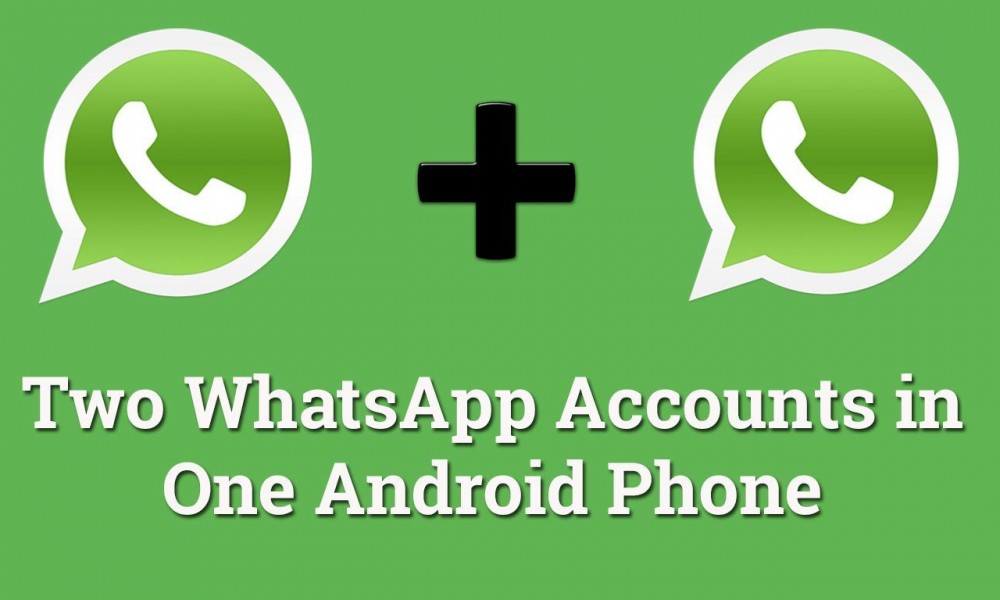
Twitter, Gmail, Instagram etc. allows you to login with multiple accounts and also switch with ease, whereas most of the other apps don’t. It becomes easy when you have a definite way to use multiple accounts, especially, for messaging apps like Whatsapp. We tend to use different numbers for work and personal usage and therefore, if we have an ability to distinguish our Whatsapp accounts as well, it would be great. Most of us love using different accounts especially for games. With an android app called Parallel Space, you can now login to multiple accounts using a single app in two iterations separately. This app also allows you install apps in incognito mode, which means that those apps will be only be available in Parallel Space app and no where else.

Here is how to use Parallel Space to run multiple iterations of an app.

Step 1

Parallel-Space-Welcome

Install the app “Parallel Space” from the Play Store. Open the app and you will see cool slides making you aware about the usefulness of the app. Tap on start.

Step 2

Parallel-Space-clone-apps

Clone apps page is your starting point from where you can make a selection of the app you want to run in Parallel Space. Mostly all the apps on your device are supported. For example, Select Whatsapp and it will be shown in Parallel Space with a message “Tap to open WhatsApp and sign in your other second account”.

Step 3

Parallel-Space-use-two-WhatsApp-accounts

Now you can easily sign into a second account on opening the app. You can easily add more apps and run multiple accounts.

Not only does Parallel Space allows you to run multiple iterations of an app, but also brings separate notifications of the cloned apps, this includes notifications from play services and play store as well. You have an option to block notifications from apps or put them in DND mode. Cloned apps can also be added to the home screen in order to use both your iterations of an app easily.

Parallel-Space-cloned-apps-notifications

Note: You can only add a single clone of the apps installed on your device, which means you can only use two accounts of an app. 

MultiDroid, claimed to be the first app virtualization system which powers Parallel Space Android and thus, it runs as its own entity in Android. Here are few more features it gives us along with cloning app.

[adinserter block=”7″]

Next Page For More

Tagged : /

Things that only a pilot could have told you… No.4 and 5 may make you feel unsafe!

Air travel has become a common thing nowadays and everybody seems to enjoy the fact that they enjoy precious time using air travel. Yeah there is that constant nagging fear of the plane crash but you can’t stop living because of the fear of death. But do you know that there are actually myths associated with flying and people do not even know about them. This article debunks those myths.

Don’t be afraid of the turbulence

Aeroplane-in-stormy-weather

If turbulence while flying makes you close your eyes tight and utter words of prayer then please be informed that there is no need for that because according to the pilots, maximum crashes occur during take-off and landing. Turbulence happens for a short time and the pilots aren’t that concerned about it.

There actually are worst and best seats on a plane

Flight-attendant-serving-customers-on-an-airplane

If you want a smooth flying experience then choose the seat near or over the wing as it is the most stable. If you think the plane as a see-saw, the centre portion is obviously less bumpy. The rear porn of the plane is the bumpiest. Also the flow of air goes from front to the back so that freshest air is at the front and the warmest at the back.

You don’t need to switch off your mobiles

All of us have heard it: “Please switch off your phones, the plane is about to take off”. There is no actual proof that mobile phones cause issues with the plane’s systems. Pilots actually use their mobile phones when the normal radios have problems.

When they are talking about a delay, they are mostly lying

When a delay is announced, nobody knows how long will it actually take. They announce 45 minutes because anything in hours would seem too long. So they just have to lie.

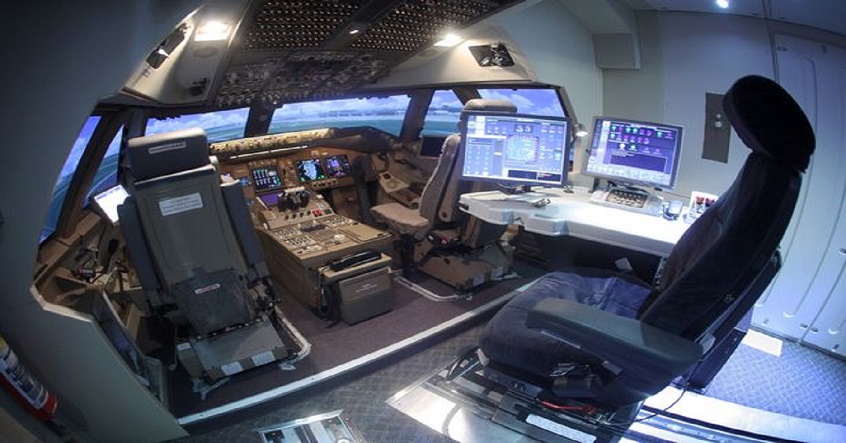
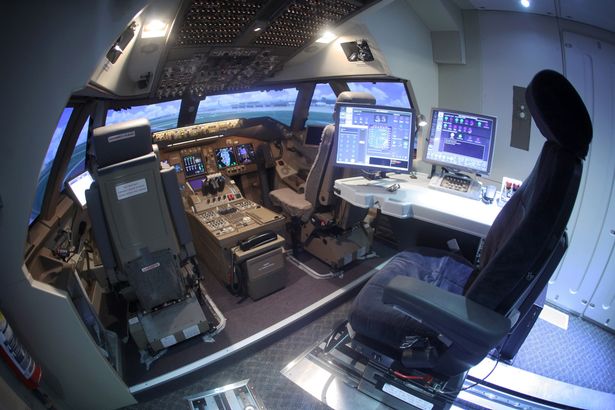
The pilots take naps while flying

cockpit

Long haul flights are not taxing for passengers only, pilots also suffer during these flights. This is why they catch a quick nap while flying the plane which may last 10 minutes or so. We are sure this fact is not going to make your fear of flying go away!

[adinserter block=”7″]

Next Page For More

Tagged : /

The hidden technologies that drive the online gaming business

Most of us have experienced online games in some form or other. Gaming mechanisms and technologies have progressed a long way compared to what it was a decade ago. Starting from dedicated gaming player with detachable games cartridges to handheld players with built in games, gaming technology, as such, has come a long way. One of the online industries that have deeply developed new technologies and implemented new ideas has been that of online casinos, specifically thanks to Playtech, whose software is being used by one of the most important gambling platforms, Casino.com. This popular online casino offers many casino games but it just might not have been so popular, if it was not powered by a big gaming supplier, such as Playtech.

Today, the platform provided by Playtech (IMS), is able to provide the players with a truly unique and immersive gaming experience, anytime and anywhere. IMS enables the players to play across all games and platforms through a single login. A player is able to initiate a game on a land-based machine and continue the same on his smartphone or handheld and even from the comfort of his own home.

Noteworthy is also the influence behind most new indie games. The cross-platform video game engine Unity has been gaining popularity exponentially during the recent years. Thanks to its great compatibility and universal accessibility, Unity has been used by a lot of indie developers like Campo Santo and their first person adventure video game release of Firewatch.Apparently, the technology sounds simple when we talk about the gaming. The basic form consists of a visual interface, to observe the story flow and an input interface through which players are supposed to interact with the games. Actually, the gaming technology, per se, is very complex and worth knowing. The following are the major advancements in gaming technology in recent years:

Facial Recognition: 3D scanning and facial recognition technology together enables you to create a custom avatar of yours.

Voice Recognition: With advanced voice recognition technology, computers are now able to recognize your voice commands.

Gesture Control: 3D camera is able to track 22 separate points in your hand and gives you the ability to control the gaming just by the movement of your hands.

Amazing Graphics: Gone are the days of basic 8-bit graphics in gaming. Now, we talk about gaming experience with fully rendered worlds loaded with photo realistic textures.

High-Def Displays: 4K devices are a reality now and they are affordable too. It will soon become the de facto standard of visual interface.

Virtual Reality: VR headset displays are designed to provide you a fully immersive gaming experience which nobody has experienced before.

Augmented Reality: Forget the virtual world, curve out the game for yourself using the everyday objects. Beyond gaming devices and monitors, AR games allow you to have a unique perspective which is completely yours.

Wearable Gaming: Fitness wearables are common now. Efforts are on to have gaming incorporated in the same devices.

Mobile Gaming: Smartphones are here to stay. With the propagation of smartphone technology, the gaming experience has been taken out of the fixed devices and locations and put into the palm of your hand.

Cloud Gaming: With the advent of cloud computing, games no longer are limited by the amount of memory that the gaming devices offer.

On-Demand Gaming: We all know about movie streaming services. Efforts are on to stream video games, which could lead game developers, both big and small, to compete for gaming glory.

Author: Technology and Beyond

Tagged : /

This woman was stabbed by an attacker.She survives to create a realistic Panic Button Ring!

According to the UN, one in three women face sexual violence sometime in their lives, and Ekaterina Romanovskaya is a survivor beating all odds.

nimb-2

In her words: “Sixteen years ago, in broad daylight on a busy street, an inconspicuous young man tried to strike up a conversation with me. I was proud and in a hurry, so the conversation didn’t work out so well for him. He turned out to be quite resourceful, so the second time around he didn’t waste any time on questions and pulled out a knife. He slit my throat, cut open my stomach, and wanted to conclude this process of getting to know me by putting the blade through my heart. But each time he tried, my ribs and other bones got in the way.

The likelihood of me surviving to ever see the light of day again was pretty low, mostly because I didn’t have enough hands. I was using one to stop the fountain of blood spurting out my neck, and grabbing at the knife with the other. I also had to make sure my insides weren’t spilling out of the gaping wound on my abdomen, but luckily my tight pants did the trick.

“Wouldn’t be writing this today if the neighbor hadn’t answered my cries for help.”

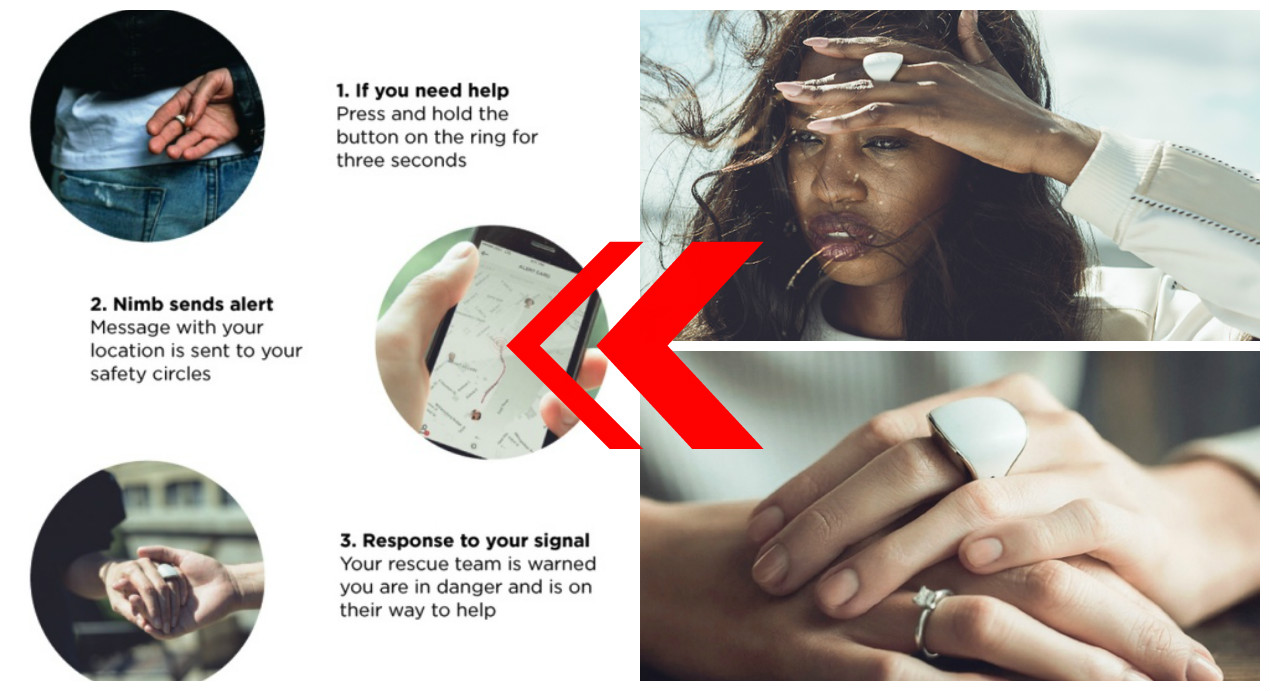
This woman went on to create the first ever panic button for women’s safety in the form of an inconspicuous ring. Anytime the woman wearing it feels threatened, she can press the button to have her security circles alerted.

nimb-3

The Nimb can be useful whether the wearer is caught in a natural disaster, an emergency health issue, or an attack.

The smart ring connects to a mobile app and tracks their location in real time and immediately alerts their family, friends and the concerned authority. Kathy co-envisions Nimb to provide a safer environment for people at potential risk- namely, students, late-night joggers, senior citizens and night commuters.

As she puts it, “To make the world a safer place. That’s one ambitious goal. Why I am taking the risk, you ask? Well, for one thing, because it’s beautiful.”

The ring has already met over 200% of its $50,000 on its Kickstarter campaign.

width="560" height="314" allowfullscreen="allowfullscreen">

[adinserter block=”7″]

As a technology lover you may like our daily important technology news series. It’s a playlist and you can retrieve the total day-wise videos. Please consider subscribing our YouTube channel:

Author: Technology and Beyond

Tagged : /

This vertigo-inducing 1,000-Ft High Glass Slide Is The Latest Attraction In Los Angeles

Fear heights? I might want to steer clear of this new attraction that has just opened up in Los Angeles, California. To make matters even more exhilarating, not only it is located just outside a skyscraper, the entire length of the slide is made up of one inch thick glass.

Gensler_USBT_Skyslide_Slide

If it’s any reassurance, the glass is strong enough to endure hurricane winds and earthquake like conditions. But, it takes none of the scare factor out.

Sliding down a 45 degree glass slope is something that takes a lot of courage. The tickets come at $25 a pop. Surprisingly, the early riders are not impressed. The common complaint seems to be that the ride seemed too short and quick.

la-me-ln-skyslide-downtown

Hmm. Brave folks to want more, wouldn’t you agree?

width="560" height="314" allowfullscreen="allowfullscreen">

[adinserter block=”7″]

As a technology lover you may like our daily important technology news series. It’s a playlist and you can retrieve the total day-wise videos. Please consider subscribing our YouTube channel:

Author: Technology and Beyond

Tagged : /

Earth’s Second Moon Has Been Discovered And It Has Been Here for Quite Awhile

National Aeronautics and Space Administration (NASA) has found Earth’s second moon last April, which has been here for about a hundred years now. Well, to be precise, this “second moon” is actually an unfortunate asteroid found in an unusual dance with the earth.

The scientists are calling this celestial body “2016 HO3” and it measures just 120 feet in length and 300 feet wide. So is this asteroid a threat to us anywhere in the near future? As it turns out, no.

Paul Chodas, manager of NASA’s Center for Near-Earth Object Studies, explains that unlike the moon, the asteroid is not a true satellite of Earth. Rather, 2016 HO3 orbits the sun, but in a way that keeps it constantly looping around the planet. NASA called it a “game of leap frog” with Earth.

Earth’s gravity is just strong enough “so that it never wanders farther away than about 100 times the distance of the moon,” said Chodas.

NASA refers to the asteroid as either a “near-Earth companion” or a “quasi-satellite.” Too far away to be visible to the naked eye, it was spotted in April from the Pan-STARRS 1 telescope on the summit of Haleakalā in Hawaii.

The rock is estimated to be between 40 and 100 metres across, roughly making it about half the size of the Great Pyramid of Giza in Egypt — and only one hundredth the size of the asteroid believed to have wiped out the dinosaurs 65 million years ago.

The scientists safely believe that this “dance” with the two moons and the Earth is to continue for quite some time to come.

width="560" height="314" allowfullscreen="allowfullscreen">

[adinserter block=”7″]

As a technology lover you may like our daily important technology news series. It’s a playlist and you can retrieve the total day-wise videos. Please consider subscribing our YouTube channel:

Author: Technology and Beyond

Tagged : /

This is how to use YouTube as a free screen video recorder!

YouTube has some amazing tricks up its sleeve including a built-in video editor and tools hiding your face or particular object as such. One of the great feature of YouTube is that you can use YouTube site to record anything on your computer screen. From showing off an app or to teaching grandparents to use Skype.

Just go to YouTube’s beta live streaming page and click enable live streaming. Complete the verification process and click to create live event thereafter. Please note that your video will be NOT be broadcasted without your permission.

Name your screencast and select from Private (specific people have access) or Unlisted (anyone with a specific URL has access) from the drop-down list on the right. Click Go live now once you are ready.

At this point, YouTube demands access to the webcam and microphone on your computer that can be later toggled on or off.

Click on the Screenshare icon (White arrow on Green background) on the hangout window and select the entire screen or one of the windows that is currently open.

Click on Share and you are ready. Use Start broadcast option to begin recording and Stop broadcast option to stop. Go back to YouTube to see and share your saved video.

[adinserter block=”7″]

As a technology lover you may like our daily important technology news series. It’s a playlist and you can retrieve the total day-wise videos. Please consider subscribing our YouTube channel:

Author: Technology and Beyond

Tagged : /

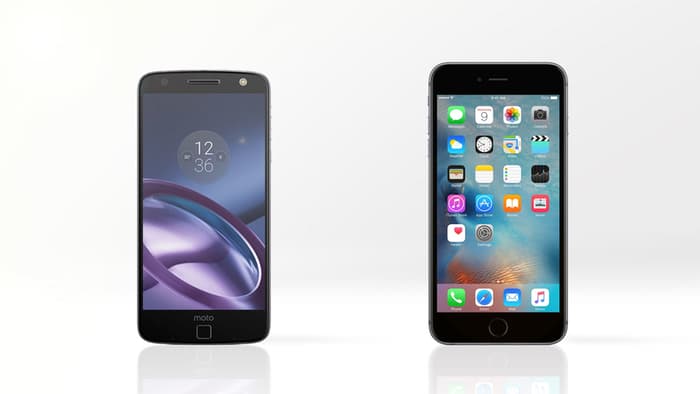
iPhone 6s Plus Vs. Moto Z Face-Off: Who wins??

The iPhone 6s Plus released in September 2015 and the Moto Z, yet to be released, are approaching the smartphone markets from opposite ends of the spectrum. While iPhone relies on its universal premium quality, Moto Z appealing new handset may be the simplest and most logical take on the modular smartphone to date, adding new looks or features just by snapping on a back plate.

Can Motorola’s flagship shake up smartphone industry stagnation? Time for an iPhone 6s Plus vs, Moto Z face-off.

iphone-6s-vs-moto-z-9

Size: The iPhone 6s Plus’s dimensions was a bit larger, just because of its bigger forehead.

The Moto Z is incredibly thin – 29 percent thinner than the iPhone – but keep in mind that this measurement is with none of the modular back plates attached. The back plates, of course, are the main appeal!

iphone-6s-vs-moto-z-25

In terms of size, the Moto Z is comparatively lighter. But that again is not considering the optional mods.

iphone-6s-vs-moto-z-7

The build and the colour (factory defaults) are more or less the same. The base smartphone part of the Moto Z is made of aluminum and steel, while Apple’s aluminum unibody design has been standard on iPhones (and most other Apple products) since 2012.

iphone-6s-vs-moto-z-4

Though we’re looking at four factory color options for each phone, the Moto Z will have many more back color options once you factor in the mods – some of which are purely stylistic (“Style Shells”).

iphone-6s-vs-moto-z-26

One thing Moto Z has going for it is its killer modularity, which Apple hugely lacks. We also saw LG swing for the fence this year with a modular flagship, but so far we prefer Motorola’s approach: snap magnetic plate onto back, enjoy upgraded phone. The LG G5 requires you to rip the phone’s entire bottom section off.

iphone-6s-vs-moto-z-11

Both the phones have a display screen size of 5.5 inches, though Moto Z offers AMOLED and iPhone IPS displays. The resolutions differ and based on pixel density, the Moto Z’s display is 33 percent sharper.

iphone-6s-vs-moto-z-12

iphone-6s-vs-moto-z-10

Apple is known, though, for scoring high marks in other aspects of its displays, like white balance, color and brightness. So overall screen quality is still a highlight of the iPhone 6s Plus, despite the lack of QHD resolution.

Next Page For More

Tagged : /

Don’t Buy a New Laptop Just Yet- better new technology devices are around the corner!

Laptops, as we know them, won’t exist five years from now. Consumers desire increased mobility, apps optimized across devices, and just plain more innovation. As a result, the classic all-metal foldable laptop will fade into the background.

None of the laptops on the market today are prepared for the changes coming. Despite swirling rumors of new touch ID-enabled Macbook Pros that would turn the top row of the physical keyboard into a touch panel of programmable buttons and fingerprint readers, even this innovative device is missing several components of what consumers will expect from laptops five years from now.

No company has crafted the perfect laptop-tablet device with compatible software, apps, and A.I., but whoever does, that’s the next laptop you’ll want to buy.

Why do we still desire laptops? Well, they are the perfect work devices! For example, you can do work on your iPhone, but when it comes down to cranking out a written document, you turn to your computer, and not just because it has a full keyboard. Are you reading this article right now on a computer? How many tabs are open? Now think about how hard it is to switch between tabs on your phone.

Well organized tabs aren’t the only thing that make laptops superior work devices, but there’s probably nothing you use more on a laptop than a good browser with a lot of tabs, and Apple and Google two-in-one devices just don’t offer that.

Microsoft’s Windows 10 was built from the ground-up to bridge the gap between laptops and mobile devices, but it’s held back by a lack of apps and imperfect hardware at a steep starting price of $1,400 for the Surface Book, or around $1,000 for the Surface Pro 4 if you want a keyboard (which you do because, it’s not the best stand-alone tablet).

These combo devices are getting really good from the hardware side, but it’s hard to recommend buying them before the software is there to support it. Thus, we just have to wait and see who cracks this problem first, but whoever does, it will be pretty much and you’re going to want that.

The forever relevant charger issue is a big factor affecting our lives.

[adinserter block=”7″]

Next Page For More

Tagged : /

People were simply impressed by this hoverboard that actually flies!

From Zapata Racing, a company known for its water and jet-ski powered hoverboards, we have this flying hoverboard that resembles the Green Goblin’s glider from the Spiderman movie at first glance. The company uploaded a video that quickly went viral, now with almost 5 million views on YouTube. It features Franky Zapata with his latest and futuristic aircraft- the Flyboard Air.

This hoverboard has been under construction for the last four years. From that, it took two years to to create the great turbo reactors and algorithms to stabilise the hoverboard. It uses ‘an Independent Propulsion Unit’ to stay in the air for ten minutes and consists of the the board, fuel tank and the remote. There are 4 engines with 250 horsepower each.

The Flyboard Air founder says, “It is impossible to ride it before you have a minimum of 50 to 100 hours in the original Flyboard with water.”

Zapata recently set a record for the Farthest hoverboard flight off the coast of Sausset-les-Pins, France on the 30th of April, 2016. A new benchmark for a distance of 2,252 meters was set.

width="560" height="314" allowfullscreen="allowfullscreen">

[adinserter block=”7″]

As a technology lover you may like our daily important technology news series. It’s a playlist and you can retrieve the total day-wise videos. Please consider subscribing our YouTube channel:

Author: Technology and Beyond

Tagged : /
Verified by ExactMetrics