
Home button damaged or broken
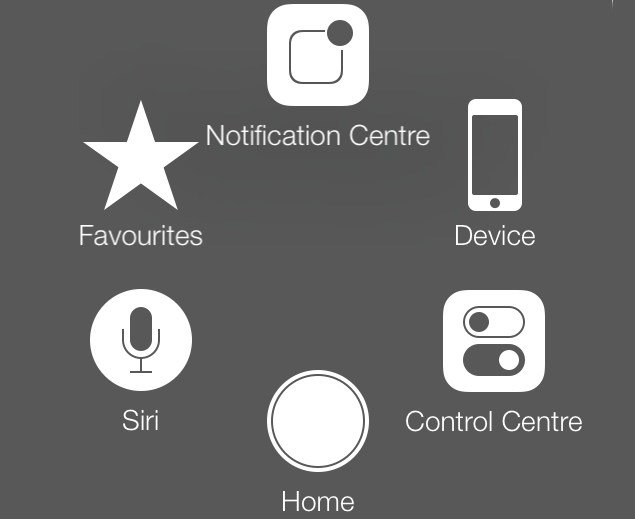
If because of a blow of bad luck, the Home button of your iPhone broke, then you need not think that your entire world has come to an end. Just go to Settings>Accessibility>Assistive Touch and then turn the ‘Assistive touch’ feature on. This will give you your happy world back in your hands and enable the Home screen.
Broken screen
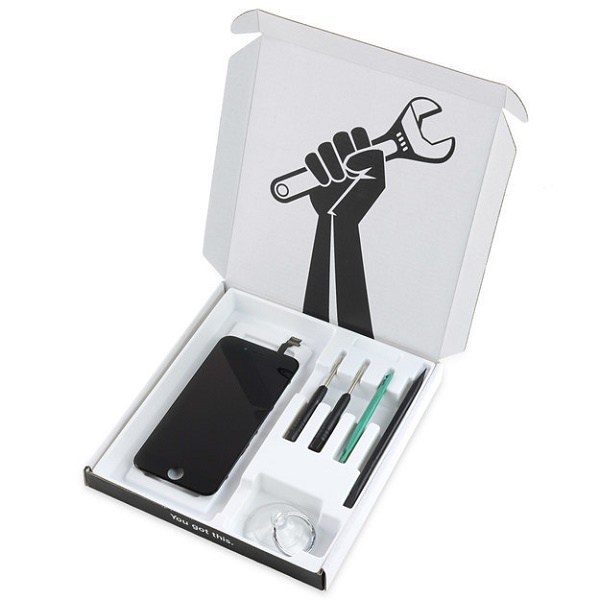
Sorry, but you can’t get more unlucky than this but the good thing is, the problem can get addressed and solved but most preferably not by you. The best way to do is to take the damaged phone to the nearest Apple Store. Yes there are options to fix it yourself, but you surely won’t want to jeopardize the chances of having your phone ‘healthy-wealthy’ back in your hands. But first of all, you need to secure all your data on iCloud or iTunes on the computer. Then you may proceed with the second and important phase- getting the screen repaired either by iCracked or your Apple store. You can also go for iFixit repair kit (if you have the confidence). In any of the three cases, you should be ready to shell out $120 – $180.
So now you have it all in one place. But remember, we can never replace an expert so try these only if you are confident and know that it won’t harm your phone in any other way.
[adinserter block=”7″]
As a technology lover you may like our daily important technology news series. It’s a playlist and you can retrieve the total day-wise videos. Please consider subscribing our YouTube channel:
Author: Technology and Beyond

