
The Code That Sent America To the Moon Has Just Emerged, And It Will Awe You!

In the mid-1960s, the necessary technology to create the flight software for the Apollo 11 space program did not exist. Programmers at the MIT Instrumentation Laboratory had painstakingly invent it- line by line.

Assembly itself is obscure to many of today’s programmers—it’s very difficult to read, intended to be easily understood by computers, not humans. For the Apollo Guidance Computer (AGC), MIT programmers wrote thousands of lines of that esoteric code. They came up with a new way to store computer programs, called “rope memory,” and created a special version of the assembly programming language.

Margaret Hamilton, director of software engineering for the project, took a black-and-white picture standing next to a stack of paper containing the software to commemorate their success. And let’s just say she saw eye-to-eye it with!

The AGC code has been available to the public for quite a while–it was first uploaded by tech researcher Ron Burkey in 2003, after he’d transcribed it from scanned images of the original hardcopies MIT had put online. That is, he manually typed out each line, one by one.

“It was scanned by a airplane pilot named Gary Neff in Colorado,” Burkey said in an email. “MIT got hold of the scans and put them online in the form of page images, which unfortunately had been mutilated in the process to the point of being unreadable in places.” Burkey reconstructed the unreadable parts, he said, using his engineering skills to fill in the blanks.

“Quite a bit later, I managed to get some replacement scans from Gary Neff for the unreadable parts and fortunately found out that the parts I filled in were 100% correct!” he said.

However, the code itself remained somewhat obscure to many of today’s software developers. That was until last Thursday (July 7), when former NASA intern Chris Garry uploaded the software in its entirety to GitHub, the code-sharing site where millions of programmers hang out these days.

Next Page For More

Tagged : / /

8 reasons why Google’s Pixel may be considered better than iPhone

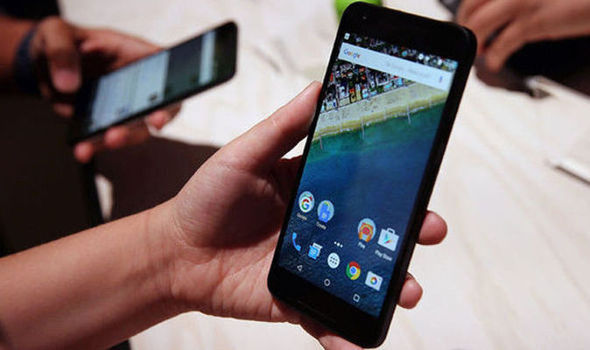
After using Google’s Pixel XL smartphone for a few weeks, it has highlighted the iPhone’s glaringly lacking key features. Woah, woah there. iPhone supporters, hear me out. You’ll have plenty to defend your smartphone of choice down in the comments section.

The iPhone has great features that the Pixel doesn’t have, and the Apple ecosystem is in a league of its own, of course. But the Pixel is something worth talking about.

To start with, the grip and the weight. Focusing on the comfort of your hand, iPhone 6s Plus’ weight (192 grams) never bothered me until I picked up the Google Pixel XL (168 grams).  The Pixel’s lighter weight has no ill effect on its reliability, and it’s easier to manage in your hands. Speaking of which, the Pixel has a clever way to add grip.

pixel-smartphone-google-main-android-mobile-713785

As nice as the iPhone’s metal back and edges are, they don’t offer any grip, and I’ve dropped and dented my iPhone a couple times as a result. It needs a case.

On the other hand, the glass inlay on the Pixel’s back doesn’t look particularly nice (it looks better on the white model), but it’s actually a great grip for your index finger, which makes the Pixel feel more secure in your hands as you hold it.

SuperSaf TV, a tech YouTube channel, tested the charging times of the Pixel XL, iPhone 7 Plus, and Galaxy S7 Edge with the chargers included in each phone’s packaging. After two hours of charging, the Pixel XL is nearly 100 percent charged while the iPhone 7 Plus is dragging its feet at 72 percent. Meanwhile, the Galaxy S7 wiped the floor with the other two, having charged to 100 percent after an amazing one hour, 29 minutes.

Fast charging is actually a huge deal, isn’t it? The Pixel’s USB-C fast charging is faster than the iPhone’s comparatively slow charging, and it’s one of the harder things to adjust to while switching back to the iPhone.

screen_shot_2016-10-05_at_00_36_22

The Pixel’s design is more utilitarian than it is beautiful, but its sharper AMOLED screen outshines the iPhone’s Retina display. The iPhone 7 Plus has a 1080p screen that’s fine and sharp enough, but the Pixel’s 1440p screen is sharper. And more importantly, the Pixel’s AMOLED screen makes everything it displays look better than on the iPhone’s LCD display. Pictures, videos, and apps pop with inky blacks and vibrant (but not oversaturated) colors on the Pixel, which makes for a more premium and modern look overall.

Next Page For More

Tagged : /

Verified by ExactMetrics