Any idea if trees sleep at night? Here is what scientists say!

New research measured the changes in behavior pattern of plants and concluded, that plants sleep at night after a long day in the sun, hence, do not pluck flowers at night. Plants, like any other living organisms, adapt behavior according to the rhythm of day and night. Flowers open in the morning, while some trees leaves close during the night.

1095060541-Scientists-Have-Found-Trees-Sleep-At-Night-Too

A team of researchers from Austria, Hungary and Finland measured the movement of trees using laser and scanners. According to them, “ results show that the whole tree droops during night, which can be seen as position change in leaves and branches,” said Eetu Puttonen from Finnish Geospatial Research Institute.

“The changes are not too large, only up to 10 cm for trees with a height of about 5 metres, but they were systematic and well within the accuracy of our instruments,” Puttonen said.

The experiment was done twice, first in Finland and second in Austria, to rule out effects of location and weather. The tests were carried out close to solar equinox, with no winds or condensation, under calm conditions.

It was observed that the leaves and branches dropped gradually, and in the morning, the tress turned to their original position within a few hours.

The reason of this is still not clear. The researchers noted that laser scanners use infrared light that is reflected by the leaves. With this scanning technique, a full-sized tree can be automatically mapped within minutes with sub-centimeter resolution.

“We believe that laser scanning point clouds will allow us to develop a deeper understanding of plant sleep patterns and to extend our measurement scope from individual plants to larger areas, like orchards or forest plots,” Norbert Pfeifer from Vienna University of Technology in Austria said.

width="560" height="314" allowfullscreen="allowfullscreen">

[adinserter block=”7″]

As a technology lover you may like our daily important technology news series. It’s a playlist and you can retrieve the total day-wise videos. Please consider subscribing our YouTube channel:

Author: Technology and Beyond

Tagged : /

Know what your cat is trying to say! This smart collar translates cat meows into human speech!

Good news for people who love cats! You now have an opportunity to understand what your cat is saying. Thanks to the invention of smart collar. This can interpret feline meows and translate it to human speech. Named as ‘Catterbox’, it has a digital sensor, which detects meows and then, with the help of a special program, it decrypts the meaning behind it.

catterbox-cat-collar2-600x371This is developed by an ad agency, adam&eveDDB, located at London. They developed it for Temptation Cat Treats. The invention comes with a dictionary of cat meows, purrs and several other sounds, so that the interpretation is accurate.

“We’re fascinated by cats, so we set out on a mission to get to know them better,” said Pete Simmons, global brand director of Temptations.

The world’s first talking cat collar, is designed to help people understand the meaning of meows.

“Cats are often perceived as quite hard to get to know, independent pets, so we set up The Temptations Lab to find innovative ways to inject even more fun into a cat and owner’s relationship,” said Richard Brim, executive creative director of adam&eveDDB.

Owners can communicate with their cats and expect a meaningful response by using the collar. The responses are delivered in British accent. The voice can be selected by the people through on app on the smartphone that is paired with the collar.

There a few sample responses on the company’s YouTube channel, which are quite hilarious and not very convincing.

width="560" height="314" allowfullscreen="allowfullscreen">

[adinserter block=”7″]

As a technology lover you may like our daily important technology news series. It’s a playlist and you can retrieve the total day-wise videos. Please consider subscribing our YouTube channel:

Author: Technology and Beyond

Tagged : /

Should you safely eject or simply pull out USB drives?

Most of us just pull a flash drive out, instead of safely removing it. Operating Systems treat the disks as objects, which can be trusted to not change the state suddenly.

6984516173_1fe5df5693_k_web_1024

The OS expects the files to remain accessible, while reading or writing, and, not suddenly disappear in the middle of the process.

There are two answers to whether you should eject a flash drive or not.

A short answer to this is yes one should always eject a drive before removing it. Mac and Linux will provide you a way to eject a drive always, but sometimes windows do not have an eject option for selected drives. On Windows select the “Safely remove hardware” option from the system tray and select the drive you want to remove.

A long answer to this is, that in windows, one can remove a flash drive without ejecting sometimes.

Here is a bit more of information on how computers actually deal with USB drives.

Why computers want you to eject drives?

Removing out a drive, while it is being written can corrupt the data. However, even though the drive isn’t actively being written to, it can still corrupt the data. Most of the OS uses write coaching to get better performance out of your computer.

While you write a file to another drive, for example, a flash drive, the OS waits to actually perform that action, till it has a number of requests to complete. It then completes all of them together. Clicking on eject button, tells your OS to flush the cache, which means it makes sure that all pending actions have been performed. You can safely unplug the drive now without any data corruption.

[adinserter block=”7″]

Next Page For More

Tagged : /

Exclusively for you: THIS is how to use the headphone as iPhone Camera Remote

Most of the time, the iPhone’s camera app shutter button is inconvenient for clicking pictures, especially, if you are operating it with one hand. As an alternative, you can always use the volume button of the phone to click pictures.

iphone-headphones-as-camera-shutter-remote

But, there is yet another way to click a picture, which most of the users are not aware of.

This trick has been around for years, yet you might have not tried it. The two volume buttons on your iPhone headphones can act as shutter button to click pictures.

You can click pictures with one hand and keep the phone upward with the other. This works for videos as well. You can use the headphones as a wired remote.

It might save you from the hassles of juggling with your phone in awkward situations.

[adinserter block=”7″]

As a technology lover you may like our daily important technology news series. It’s a playlist and you can retrieve the total day-wise videos. Please consider subscribing our YouTube channel:

Author: Technology and Beyond

Tagged : /

We don’t need weaponized robots and 1,000 most reputed AI scientists are opposing them too!

There has always been a lobby of scientists who love making robots more advanced than their predecessors and there has always been a lobby of scientists who believe that by making advanced robots we are actually pushing the humanity to certain doom. One such reputed scientist is Stephen Hawking. He is one of the most reputed Artificial Intelligence experts in the world.

ap071008015852-ef1d03c82cfbd9953fd5edf1a9b26bd0fc9d00a9-s900-c85

He has always been the one to raise his voice against AI taking over humanity someday or if not taking over than doing irreparable harm to it.

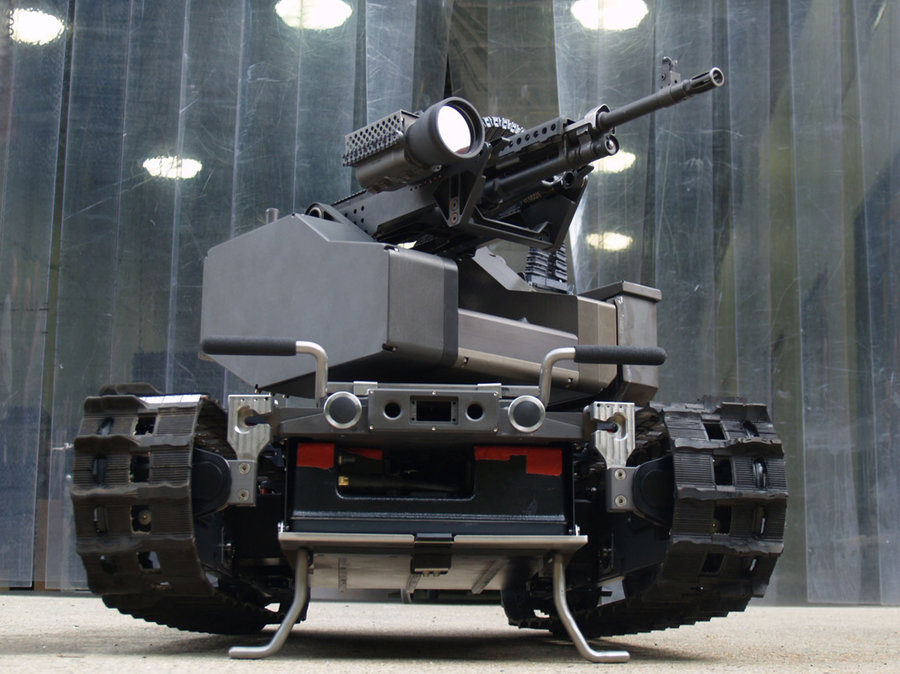
In a recent development, Stephen Hawking along with Tesla’s Elon Musk, Apple co-founder Steve Woznik, Google Executive Demis Hassabis and other AI experts (the number was nearly 1000) signed an open letter warning the world about the dangers of weaponized robots and military artificial intelligence arms race currently happening between the world’s strong military powers.

The problem at present may not sound as serious to the people at large because most of them either do not understand the repercussions of it or aren’t bothered to raise their voice against it.

It is s fact that the current military technology available to the world’s governments has already become a danger looming large in coming future and this danger affects everyone living on the planet and the planet itself. On top of it, artificial intelligence is making the global arms race even filthier, dirtier and dangerous for humanity.

[adinserter block=”7″]

Next Page For More

Tagged : /

While Virtual Reality is coming in a big way, check, if your PC is ready for it!

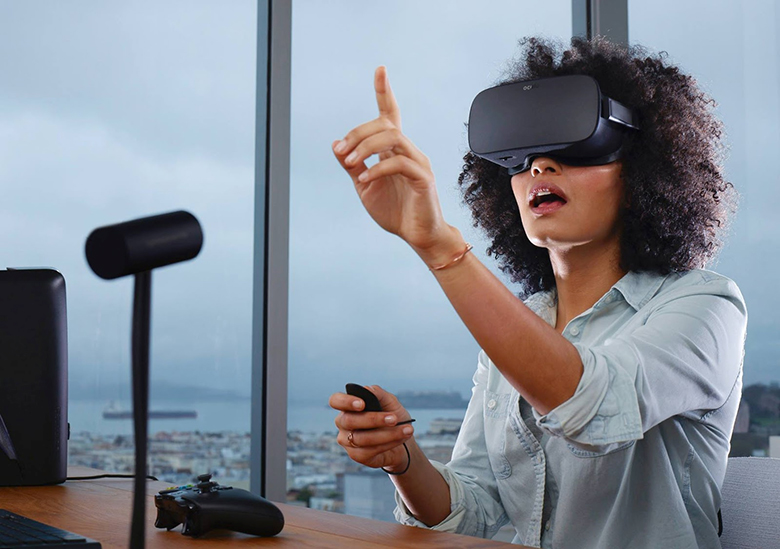
Virtual reality is coming faster than anyone thought. The time is not far when you will be able to enjoy games on computer and other programs in 3D with devices like HTC vive and Oculus Rift. Before that, you need to check, if your PC is virtual reality ready. Software released by Oculus VR makes it easy to check the compatibility of your PC with Virtual Reality.

rift

Oculus VR has also printed a list of hardware requirement for your PC, so that you can use the Oculus Rift and experience the Virtual Reality games. The Rift headset makes it possible for everyone to experience the Virtual Reality, but to experience that, you need to make sure that your computer system is up to the mark.

Here, are the instructions for checking the Virtual Reality compatibility of your computer:

  1. You have to visit the oculus order page to find the compatibility tool, as it does not have its own website or webpage.
  2. Download the ‘Exe’ file of ‘Rift Compatibility tool for windows’ from the Oculus website.
  3. Open the file. Once the download is complete.
  4. Click on ‘start’. A window opens, where you find the start button in a box.
  5. This program shall analyze your system. On completion of the execution of the program, you will get the result. It will prompt you, if your PC is ready for VR or not. In case, your PC is not compatible; you may then have to upgrade your external graphics card or the processor.

Here is list of the minimum hardware requirement for Oculus Rift compatibility: 

  1. A graphics card equivalent to AMD 290/ NVIDIA GTX 970 or greater than these.
  2. A processor equivalent to Intel i5 (4590) 4th generation or greater than that.
  3. Memory or Ram of 8GB or more
  4. Video output of HDMI 1.3 or more
  5. Operating system of Windows SP1 or latest
  6. At least two USB 3.0 ports

[adinserter block=”7″]

As a technology lover you may like our daily important technology news series. It’s a playlist and you can retrieve the total day-wise videos. Please consider subscribing our YouTube channel:

Author: Technology and Beyond

Tagged : /

THIS is how to use offline Maps in Windows 10

We all rely on maps, so much, these days. It is very easy to find nearby locations and addresses with the help of maps. Windows 10’s user-friendly maps application has made it more convenient and easier for us to find locations with both speed and accuracy.

This app is a first party app by Microsoft. It worked in offline mode previously on window operating smart phones. Now Microsoft has taken it further by making it compatible with windows 10. This has resulted in the ultimate success of producing a universal map app for windows 10 compatible with PCs for every user.

Windows 10 offers user to download the maps as offline maps. With the help of offline maps one can navigate through even without having an access to Internet.

Follow the steps given below to download local maps in windows 10 for offline use:

  1. Select ‘Settings’ options from start menu.
  2. Click ‘System’ that is the very first option from the list.
  3. Select ‘offline maps’ and download it by selecting ‘download maps’ options.
  4. Select the area of that you need to browse, from different continents available. You can select multiple areas too. Make sure, you select small regions and download it, instead of selecting the entire range or continent as that may lead to heavy consumption and will hurt you, if you are on limited data scheme.
  5. Once you have selected the areas for which you want the map, click on the download option at the bottom of the screen to start the process.
  6. The downloading process may take a little time because of high incoming data. Be patient and wait for the download process to complete.
  7. You will be notified once the download it complete. You can now open the map applications after disabling your Internet.
  8. A list of the all places that you selected will be in front of you. Now you can easily make use of the maps to find places, directions, cities etc. that you were looking for.

You can now browse places, directions and different destinations in offline mode with the help of windows 10 maps application.

[adinserter block=”7″]

As a technology lover you may like our daily important technology news series. It’s a playlist and you can retrieve the total day-wise videos. Please consider subscribing our YouTube channel:

Author: Technology and Beyond

Tagged : /

Don’t get frustrated, you can speed up your Windows 10 machine like new with these simple tricks!

Are you facing speed and performance issues even after upgrading to windows 10? If your answer is yes, then you need to optimize your PC. Optimizing your PC means making some basic changes and modifications to make the best use of Windows 10. Little changes and modifications will increase the speed of starting and shutting down process.

Windows 10 provides a new interface and appearance making it interesting and adorable. Despite liking the Graphic User Interface and facilities, people in general, are often frustrated regarding the lack of speed.

More often than not, it has been observed that the problems related to lack of speed can be addressed simply by changing relevant settings in the concerned computer.   Follow the steps given below the speed up the basic functions of windows 10:

Get rid of unimportant an unnecessary auto-starters

0215-start-tab-100643301-orig

As soon as the booting process starts on switching on the PC, a lot of unwanted ground process becomes active within fraction of seconds. These unwanted processes slows down the booting process of windows 10 OS. Auto Starters are so big and memory hogging that they further reduce the speed and performance of OS even after the booting process is completed.

Right click on the task bar and select “Task manager option” to see and edit the list of start up processes. You can easily disable the programs that you do not want by simply right clicking on it and selecting the disable option.

Making a change in the power setting of the OS

3

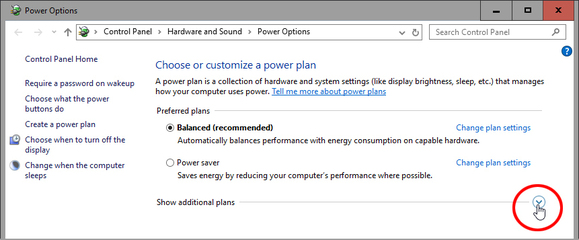
The default configurations of a laptop/ computer are made in a manner where the OS consume less power that results in slow processing of the OS. This happens as its performance functions are closed and disabled automatically because of its power saving mode. To enhance the processing, one needs to right click the start button and choose power options. Now on the control panel screen opened in front of you, select high performance from show additional plan option. This will definitely help the OS to work better and faster than before.

[adinserter block=”7″]

Next Page For More

Tagged : /

THIS cute little trick will convert your browser into a text editor!!

Notepad is an awesome software. But, often, we need to just jot down small one or two liners that we don’t intend to save. There is a simple way to do it in any browser while you are browsing various sites and doing some research.

All you need to do is type the following code into the browser’s URL bar:

Open chrome or Firefox browser

Type data:text/html, <html contenteditable> in the address bar. And hit return Key

You will see the cursor blinking on pressing the enter key.

This little trick uses the Data URI scheme and opens a simple HTML page with the element, “contenteditable.” After typing the content, if you decide to save it, just go ahead and press Ctrl+S and you will be able to save it as a HTML file. Otherwise also, it’s a cute way to brain dump your ideas which you need not necessarily save it!

You don’t have to remember this little line of code if you simply bookmark it for future access.

NOTE:

You can use this only as a text editor. You will get simple white canvas where you can type whatever you feel like. No formatting options or tools shall be available.

[adinserter block=”7″]

As a technology lover you may like our daily important technology news series. It’s a playlist and you can retrieve the total day-wise videos. Please consider subscribing our YouTube channel:


Author: Technology and Beyond

Tagged : /

Your Notepad can type automatically: Here is how to do ghost typing!

Everyone loves prank. Here we show an amazing notepad trick. This trick is known as Ghost Typing. Don’t get scared. Using this trick your notepad will type automatically.

Follow the steps given below:

Open Notepad.

Copy and paste the code given below in notepad.

Set wshshell = wscript.CreateObject(“WScript.Shell”) 
Wshshell.run “Notepad” 
wscript.sleep 400
wshshell.sendkeys “T”
wscript.sleep 100
wshshell.sendkeys “E”
wscript.sleep 120
wshshell.sendkeys “C”
wscript.sleep 200
wshshell.sendkeys “H”
wscript.sleep 100
wshshell.sendkeys “N”
wscript.sleep 140
wshshell.sendkeys “O”
wscript.sleep 100
wshshell.sendkeys “L”
wscript.sleep 50
wshshell.sendkeys “O”
wscript.sleep 120
wshshell.sendkeys “G”
wscript.sleep 170
wshshell.sendkeys “Y”
wscript.sleep 200
wshshell.sendkeys “ ”
wscript.sleep 100
wshshell.sendkeys “V”
wscript.sleep 50
wshshell.sendkeys “I”
wscript.sleep 120
wshshell.sendkeys “S”
wscript.sleep 160
wshshell.sendkeys “T”
wscript.sleep 200
wshshell.sendkeys “A”
wscript.sleep 100
wshshell.sendkeys “ / ”
wscript.sleep 100
wshshell.sendkeys “N”
wscript.sleep 100
wshshell.sendkeys “E”
wscript.sleep 100
wshshell.sendkeys “O”
wscript.sleep 100
wshshell.sendkeys “P”
wscript.sleep 100
wshshell.sendkeys “R”
wscript.sleep 100
wshshell.sendkeys “E”
wscript.sleep 100
wshshell.sendkeys “S”
wscript.sleep 100
wshshell.sendkeys “S”
wscript.sleep 100
wshshell.sendkeys “.”
wscript.sleep 100
wshshell.sendkeys “I”
wscript.sleep 100
wshshell.sendkeys “N”
wscript.sleep 100

Save the file as Technologvista.vbs
Note: While saving select Save as type  “All files”
Execute the saved File.

You will see “TECHNOLOGY VISTA/NEOPRESS.IN ” Typed Automatically.

If you liked this article, please share it with your friends and family. Also, let us know your personal experience regarding this in the comments below. 
[adinserter block=”7″]

As a technology lover you may like our daily important technology news series. It’s a playlist and you can retrieve the total day-wise videos. Please consider subscribing our YouTube channel:

Author: Technology and Beyond
Tagged : /

Believe it or not! a major physics breakthrough suggests the universe as a giant hologram

According to the relationship between Einstein’s theory of relativity and quantum physics, it is possible to live inside a huge 3D projection of two- dimensional space.

It is just like a painting or an IMAX movie theater screen. One can simply imagine the experience of looking at a 3D object from different angles. And its shape will change according to angles.

download

Yoshifumi Hyakutake, a Japanese scientist, proposed the new experimental simulation. His team discovered the energies of black hole in parallel universe. But, it goes a long way along with Einstein’s theory of general relativity and quantum mechanics. It claims that these two are the main theories to describe our universe. All the finding was published in journal, Nature, on 10 December,2015.

The “holographic principle” is the property described in string theory, in physics. Basically, it represents a volume of space whose complete information can be imagined as encoded boundary of that selected space. The holographic theory was stated first by perceiving black hole thermodynamics. It was observed that the information pertaining to the objects, that got sucked in by the hole can be seen on the hole’s event horizon in the scaled sense.

Einstein postulated that space and time are related to each other in his collective theory. Hence, it should be considered and calculated with respect to each other. And the measurement of objects will be in respect to velocity of the observing person. It is highly observable and empirical.

On the other hand, quantum mechanics deals with the behavior of particles on an infinitely small scale. Therefore, it can’t participate in Einstein’s empirically testable worldview. And the reason is, just because, it is too theoretical and abstract.

Though both of them suffer from finite inconsistencies: Einstein’s theory, for example, break down when one imagines the middle of a black hole, a place, where both time and space collapse. These theories are hardly viewed as parallel and have been competing with each other. Scientists are still looking for “Linking theory” to integrate them.

Hyakutake’s model tried to point out few inconsistencies between two huge models. Then, Juan Maldacena, theoretical physicist, highlighted the “string theory” providing a dependable realization of the holographic principle.

[adinserter block=”7″]

As a technology lover you may like our daily important technology news series. It’s a playlist and you can retrieve the total day-wise videos. Please consider subscribing our YouTube channel:

Author: Technology and Beyond
 

Tagged : /

THIS inventor demonstrates a working hoverbike made in his garage!

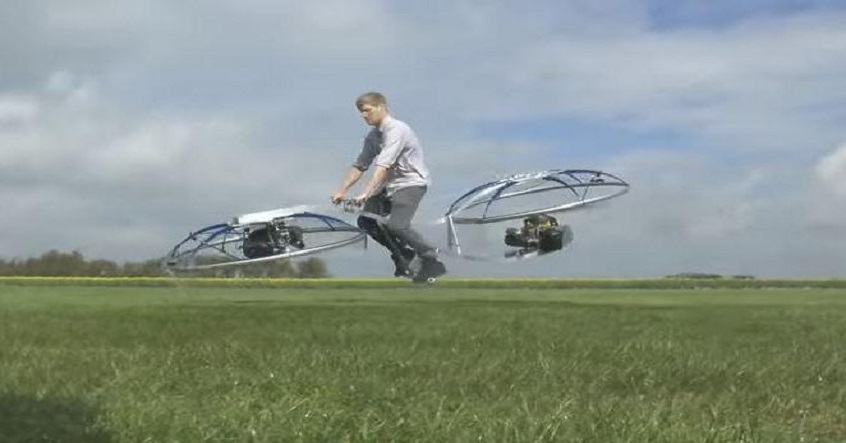
Colin Furze is a plumber-turned-inventor from Lincolnshire, UK. He has recently built a completely functional hoverbike in his garage.

Within 24 hours, Colin Furze’s YouTube Video got 1.7 million views that featured his first flight. The self-taught engineer describes it as an “unhinged flying bike/human blender” that shockingly flies.

Currently the design is a slightly crude one and is powered by two huge fans. This vehicle has no breaking facility or a proper seat. With invention in the past like the world’s fastest stroller made with turbojet engines, the world’s longest motorbike and a jet powered motorcycle made with pulse jet engines, Colin Furze has proved himself more than an ordinary engineer.

Watch him fly with his hover bike below:

width="560" height="314" allowfullscreen="allowfullscreen">

[adinserter block=”7″]

As a technology lover you may like our daily important technology news series. It’s a playlist and you can retrieve the total day-wise videos. Please consider subscribing our YouTube channel:

Author: Technology and Beyond
Tagged : /

We may be living inside a Matrix-like computer simulation: NASA

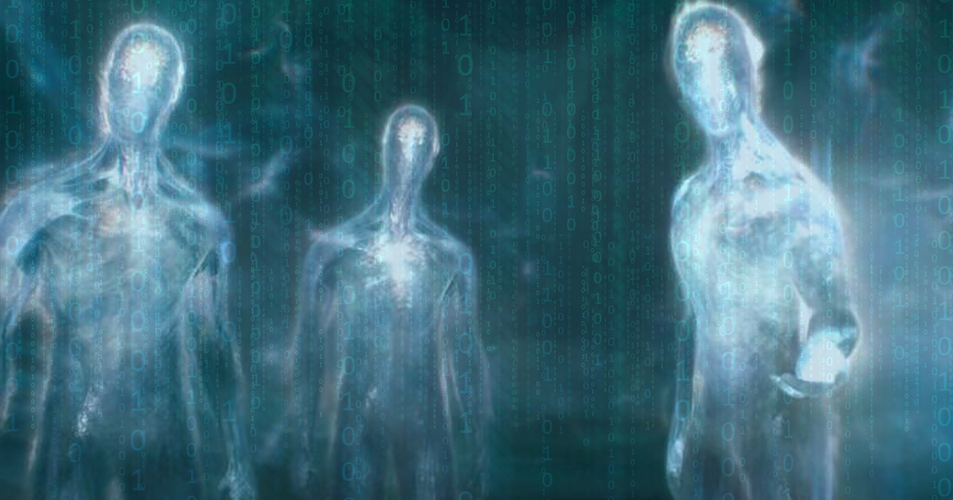
A terrifying theory once given by a British philosopher Nick Bostrom stating, everything we have ever done or will do could simply be the product of a highly-advanced computer code and that every relationship, every sentiment, every memory could have been generated by banks of supercomputers is chilling at best. That was until it was backed up by NASA.

universe _a_matrix_computer_game_designed_by_aliens

The shocking hypothesis was penned four years after Andrew and Lana Wachowski wrote and directed The Matrix, a film set in a dystopian future in which humans are subdued by a simulated reality. The futuristic beings – human or otherwise – could be using virtual reality to simulate a time in the past or recreate how their remote ancestors lived.

Now, Rich Terrile, director of the Centre for Evolutionary Computation and Automated Design at NASA’s Jet Propulsion Laboratory, has spoken out about the digital simulation.

“Right now the fastest NASA supercomputers are cranking away at about double the speed of the human brain,” the NASA scientist told Vice. “If you make a simple calculation using Moore’s Law [which roughly claims computers double in power every two years], you’ll find that these supercomputers, inside of a decade, will have the ability to compute an entire human lifetime of 80 years – including every thought ever conceived during that lifetime – in the span of a month.

“In quantum mechanics, particles do not have a definite state unless they’re being observed. Many theorists have spent a lot of time trying to figure out how you explain this.

“One explanation is that we’re living within a simulation, seeing what we need to see when we need to see it.

“What I find inspiring is that, even if we are in a simulation or many orders of magnitude down in levels of simulation, somewhere along the line something escaped the primordial ooze to become us and to result in simulations that made us – and that’s cool.”

He also goes on to say that the idea that our Universe is a fiction generated by computer code solves a number of inconsistencies and mysteries about the cosmos.

Next Page For More

Tagged : /

Pakistan’s ‘Solar Kids’: Live normally during day and goes down with the Sun!!

We humans have moved to great distances when it comes to trading the path of technological advancements but there always comes one or the other mystery of nature or biology that seems to nullify our rational scientific, highly advanced minds. One such example is the curious case of Pakistan’s “Solar kids”. When you see Pakistani brothers Shoaib Ahmed and Abdul Rasheed; aged 13 and 9- going to school, having lunch in their home or playing in their courtyard in the day- you won’t find anything abnormal.

1039186626

They are just like any other kids of their age. But once the sun sets, you will be amazed in fact shocked to see their transformation from healthy happy kids into paralyzed dependant beings. As the sun sets, they descend into a vegetative state and they become completely unable to move or talk.

The parents of the kids say that they have been like this right from their birth. According to their parents and the people of their village they are solar kids (as they are actually called) and get energy from the sun as their energies rejuvenate with the onset of dawn and wanes as the dusk draws near and leaves them completely paralyzed once there is no sunshine on the horizon.

What has baffled the scientists and the doctors the most is that when the kids were kept in a darkened room (where sunlight couldn’t reach) they were normal. They also are normal during cloudy or rainy or stormy days when one can’t get a glimpse of the sun. So according to the doctors, the idea prevalent in the village about them being solar kids gets contradicted.

[adinserter block=”7″]

Next Page For More

Tagged : /

Scientists slogged hard to create this tiny plant and look how it reduces indoor pollution at home!

Exposure to air pollutants can result in a few short-term-medical issues like fatigue, dizziness, headache and irritation in eyes, nose and throat etc. Sometimes, the effects of being exposed to air pollutants are manifested years later. One might suffer from serious issues like heart disease, respiratory problems or cancer due to long exposure to air pollutants.

Now, you need not worry about the indoor air pollution, at least. This is because, we have with Clairy amongst us. It is a cute little plant that sucks out the toxins from the air we breathe at home. The indoor toxin may be hiding anywhere in furniture, paints, cleaning agents, toys etc.

clairy-plants2

NASA figured out that some houseplants are very effective in eliminating pollutants like benzene, formaldehyde and trichloroethylene. On basis of the study of NASA, the manufacturers of Clairy not only selected a plant that can eliminate toxins but also designed handmade pots that had a built- in fan to push the air through the soil and filter out the pollutant ridden air from your home.

Paolo Ganis, the co-founder and CEO of clairy, told “ We really think that the air we breathe is very important- that’s why we want to monitor it and actively eliminate toxic agents. Indoor pollution is a big problem”

The amount of toxins in the air was reduced by 85% on average by clairy according to the study done by Pnat. Clairy is also equipped with smart sensors to track the effectiveness of elimination of toxins by the plant.

[adinserter block=”7″]

Next Page For More

Tagged : /

Verified by ExactMetrics