You can create a spectacular mini volcano by dumping a bucket of dry ice in a pool

Having a pool party at your home? All drinks and music and games arranged? Then add one more thing to this party… a super cool pool trick that will surprise every one present there. This trick involves the use of dry ice so you will have to careful with that. For those who do not know what dry ice is, it is basically super-frozen carbon dioxide. It forms when carbon dioxide is exposed to extreme temperatures of at least -109° Fahrenheit, which causes it to change from a gas straight into solid which means it never passes through the liquid phase in between. So when you reverse the process, ice melts and directly becomes gas.

Popular YouTube person the Crazy Russian hacker has utilized the same properties of dry ice to tell you about an amazing trick via a video (the link of the video is given at the end of the article). He was toying with the idea of throwing dry ice into the pool and what would happen after that. So he proceeded to do just that. He dumped about thirty pounds of dry ice straight into the swimming pool. He started with one empty cooler, a pair of insulated gloves and a bunch of bags of dry ice. First he wore the gloves on and then broke the dry ice blocks into the cooler.

After doing all this, very carefully he picked up the cooler containing the 30 pounds of ice and dumped it straight into the pool. It produced an instant reaction. As soon as the dry ice came in contact with the warm water of the pool, it began to break down and melt the dry ice and produced a thick, white, dense fog that drifted up away in the breeze. The sight is just spectacular. Everyone is bound to love this once you do the trick.

The trick is sure to be a hit amongst your peers or family and it may seem dangerous too to some people, but this is not the case if you practice the most basic caution- wearing insulated gloves while handling it, otherwise you can have serious frost bites on your hands. Also while breaking the dry ice blocks you should wear protective eye wear. Other than that, you can have as much fun as you want with the trick. For a detailed view, refer the video below:

width="560" height="314" allowfullscreen="allowfullscreen">

[adinserter block=”7″]

As a technology lover you may like our daily important technology news series. It’s a playlist and you can retrieve the total day-wise videos. Please consider subscribing our YouTube channel:

Author: Technology and Beyond

Tagged : /

This new evidence points towards the possibility of past life on Mars

The Mars mission is progressing with its speed and NASA is leaving n stones unturned to take care of every single minute detail that can prove to be of importance in the great scheme of things. Earlier, NASA had declared that they have found water on the Red planet. Now with a new announcement, the space agency is trying to consolidate the idea of a past life on the planet.

This new discovery tells that there was oxygen once on the planet which possibly made it fit to live and which also kindles the hope of an alien life in the past. This is to note that Mars rover curiosity is on the Red planet for the search of life. One of its tasks is analyzing the rocks and sending the information to the scientists on earth. The recent discovery by Curiosity is the presence of manganese in the rocks.

The scientists were expecting the discovery of basalt – a type of rock formed when lava cools down. Basalt does have a little amount of manganese in it but the level of concentration found by the rover was quite high. Highly concentrated manganese was only possible if basalt rock was dissolved in oxygenated water. This implied that the planet was once oxygen rich. When manganese was found first, the scientists thought that it was some kind of mistake so they sent the rover back to collect the samples but manganese was found again.

This made them sure about the idea of oxygen on the planet because minerals found along with oxygen clearly proves the existence of life on a planet. Encouraged by this, NASA is busy collecting other evidences as well. We should just hope for the best.

[adinserter block=”7″]

As a technology lover you may like our daily important technology news series. It’s a playlist and you can retrieve the total day-wise videos. Please consider subscribing our YouTube channel:

Author: Technology and Beyond 

Tagged : /

Is it possible to upload your brain to a computer? And, if possible, should you try it?

People have dreamed about heading ahead of the boundaries of their bodies, the illness, the pain and above all, the death. Now the revolution is to dress up in the latest fashioned technology wearable. There is a belief that says Science will pave a futuristic path to evolve further more from their current physical shape an make these dreams become a reality, it is called Transhumanism.

One of the most dramatic way technology may transform us is the idea when someone’s brain could be converted into digitalized form and uploaded in a tremendously powerful computer. This would perhaps allow us to live immortally and unbound by virtual experiences. (as long as you are continuously backed up and none switches you off).

However, Transhumanists seem to ignore the numerous obstacles in this kind of uploading of mind. Not only there are such practical difficulties but there are also some other fundamental problems in this whole concept.

The idea is still a staple in science fiction. Ray Kurzweii, Director of Engineering at Google did the most to popularize the idea that may become reality in future, as soon as 2045. Robin Hanson, the economist explored the consequences of such a society in the economy. He sees the World to be a place where all the work is run in the virtual world simultaneously by the disembodied emulation of a mind of a human using a city sized cloud computing system.

It is a notion that our minds are yet to be uploaded but to our realization we are already living in a matrix kind of computer simulation. Elon Musk, the technology entrepreneur revived discussions that we may not be living in a computer simulation was one in billions. Of course this is just a revival idea only discussed by philosophers and other mystics for more than hundred years.

But there are some critical troubles with the approach of uploading minds to a computer. To start with the practicality, we all are aware of the fact that our brain has more than 85 billion neurons. To put this all up digitally, mapping each of these connections is required which is almost unimaginable at the given capabilities we have. This is only possible to be done in a few decades with the current pace of growth in technology and development. And can only be possible on a sectioned and dead brain.

[adinserter block=”7″]

Next Page For More

Tagged :

Seed-bombing is the new technology way to reforest the earth!

It is a plan to create Forests by dropping a million trees out of the aircraft. The huge C-130 transport aircraft is installed and put to use by the military to lay carpets of landmines all across the combat zones to spread the growth of trees in many remote areas including some parts of Scotland.

The idea, originally proposed by a former RAF pilot, Jack Walters, of Bridgnorth, Shropshire, is developed over time by the US manufacturer Lockheed Martin Aerospace to plant 900,000 young trees in a day.

The company, Aerial Forestation Inc, of Newton, Massachusetts believes that companies with polluting power plants should be forced by the governments to plant trees to balance their carbon emission. Planting trees with the help of C-130s will cut the cost of manual methods by half.

Peter Simmons, Lockheed, said: “Equipment developed here for precision planting of fields of landmines can be adapted easily for planting trees.

“There are 2,500 C-130 transport aircraft in 70 countries, so the delivery system for planting forests is widely available – mostly mothballed in military hangers waiting for someone to hire them.

“The possibilities are amazing. We can fly at 1,000ft at 130 knots planting more than 3,000 cones a minute in a pattern across the landscape – just as we did with landmines, but in this case each cone contains a sapling. That’s 125,000 trees for each sortie and 900,000 trees in a day.”

The tree cones are designed in a way that they will bury themselves down the ground at the same level of depth as if they were planted manually. They are pointed and contain fertilizers and material that will soak up the surrounding moisture and water the roots of the tree.

The containers are made of metal but are composed in such a way that they will rot immediately so that the tree can be exposed to the soil.

Moshe Alamaro was in Bridgnorth last week for Aerial Forestation visiting Dr Walters  who published his idea 25 years ago while at the university of British Columbia in Canada.

Mr Alamaro said: “We are earnestly considering that Jack is knighted by contacting the British royalty.”

Next Page For More

Tagged : /

The new rumour: iPhone 7 may actually be iPhone 6SE

We have been bombarded with all kinds of rumours about the iPhone 7 and 7 Plus. So much so that it has practically become impossible to separate rumours from reality. These rumours have included everything from the appearance of the iPhone 7 with minimal changes to the idea of completely ditching the iPhone 7 and taking up iPhone 8 as the next debutant.

The latest rumour in this series is even more interesting. This rumour suggests that the smartphone will giant will call its new flagship iPhone 6SE instead of iPhone 7. As Apple is notorious for its well-protected secrecy, there is still no concrete proof about this but the supply chain sources have hinted that packages are already being produced with the iPhone 6SE branding.

iphone-1

There is more to it than meets the eye!

If you consider the product cycle of Apple, the latest rumour will seem the most believable to you. Last year was the S year which is known to bring about speed changes in its smartphones. This year was to be the year of major overhaul, but if the company follows its nomenclature rhythm, 6SE and 6SE Plus seem to be the most obvious choices that the company would make to launch. Also, iPhone is turning ten years old next year, so it is quite expected that it is planning something big to celebrate the big occasion.

It could be a well-thought move by the smartphone giant. Following the sales trend of the company the analysts find that 2017 is going to be a super-cycle year for it. So the company is actually choosing to save the true cycle of innovation for when the base would be completely ripe. In other words, the company is actually saving the best for the best part of its sales cycle to commemorate one of the very important milestones for the company. For Apple it has always been about timing and secrecy. As to how much we have succeeded in decoding its intentions, only time can tell!

[adinserter block=”7″]

As a technology lover you may like our daily important technology news series. It’s a playlist and you can retrieve the total day-wise videos. Please consider subscribing our YouTube channel:

Author: Technology and Beyond

Tagged : /

Coming Soon to thrill you! Nokia’s two Android Nougat smartphones are almost there!

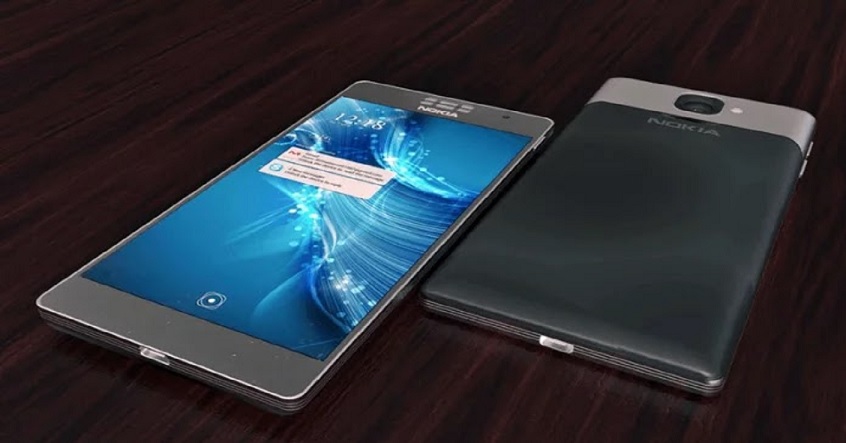
The nostalgia fever of Nokia is so strong that everyone is eagerly awaiting the launch of its new smartphones. Now the news of two Nokia Android smartphones being launched is doing the rounds. The smartphones will be made by Finland’s HMD Global and may reach the buyers before the end of this year. Both the phones will run Google’s latest Android Nougat operating system.

Another report suggests that both the smartphones will be powered by Snapdragon 820 chipset and will come with Z-Launcher System UI based on the latest Android 7.0Nougat. The phones will sport an impressive all metal body and an OLED screen. Both the smartphones will also have fingerprint scanners. The fingerprint sensors are reported to be the most sensitive ever owing to Nokia’s extensive research on wonder material graphene.

Nokia is planning to bring forth two versions of the smartphones- one with 5.2 inch display and the other with 5.5 inch display. Both the phones will sport 2K resolution (QHD) displays and will come with IP68 certification. If you don’t know what that means, then let us inform you that this certification means that the phones will be highly resistant to water and dust like the famous Samsung Galaxy S7 Edge and Galaxy S 7.

Though the phones will make an appearance in the market by end of 2016 but there is a chance that it may be deferred to first quarter of 2017 depending on the testing and development of the handsets. Judging by the earlier popularity and performance of Nokia smartphones, the excitement about the soon to be launched phones is well understood.

[adinserter block=”7″]

As a technology lover you may like our daily important technology news series. It’s a playlist and you can retrieve the total day-wise videos. Please consider subscribing our YouTube channel:

Author: Technology and Beyond 
 

Tagged : /

This Superbook can turn your Android smartphone into a laptop

A few years ago, nobody could have guessed that our whole world of communication will fit right into our palms and we would be able to carry it anywhere by just carrying it around in our pockets. The advent of smartphones changed the face of ‘staying connected’ big time. The desktops and laptops surely are a part of our lives but the smartphones have practically taken over everything.

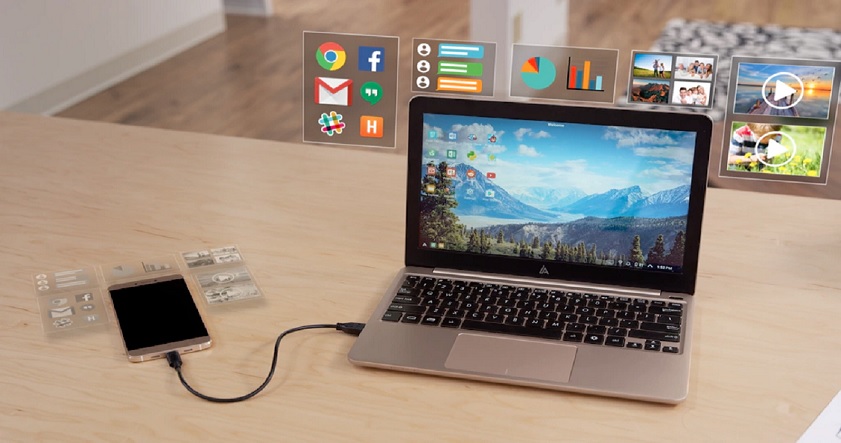
The only thing which makes these smartphones a bit tedious is the size and touch input of their displays. Many a times one feels “oh if this was a bit bigger”! In order to find solution to this problem, Andromium has found a way; they have designed a new Superbook that gives an Android smartphone an 11.6-inch screen, full size keyboard and trackpad.

Unlike Andromium’s earlier attempt at making a phone-based workstation which involved various peripherals and cables, the Superbook is compact without any such cables and peripherals. So what Andromium has done actually is packing everything into a 2-lb (900 g) laptop shell that connects to an Android smartphone via a single USB cable. The Superbook has an 11.6 inch LCD display with 1,366 x 768 resolution, full size keyboard and built in trackpad.

So if you have a phone that supports USB-OTG, is running Android 5.0 or newer versions and packs 1.5 GB of RAM, a dual core processor and 25 MB of free space, then you can easily plug in using a USB-C or MicroUSB Cable. The Superbook also has a built-in battery which on top of charging a connected phone allows for over eight hours of work. The Andromium OS app enables desktop OS-like features, including mouse cursor, keyboard shortcuts, full-screen operation of Play Store apps, and full compatibility with the Microsoft Office suite. The company also points out that every time you upgrade your smartphone, you’re also updating your computer.

[adinserter block=”7″]

As a technology lover you may like our daily important technology news series. It’s a playlist and you can retrieve the total day-wise videos. Please consider subscribing our YouTube channel:

Author: Technology and Beyond

 

Tagged : /

NOKIA To Launch Two New Android Smartphones With 2K Amoled Display Soon!

Just a couple of months ago, the news about Nokia returning to the smartphone market had made millions of people nostalgic because almost everyone has some of the nicest memories associated with Nokia- whether it was the first ever cellphone that people bought with their first salary or the first ever cellphone they gifted to somebody or the first ever cellphone they held in their hands- everyone was super excited to hear the news.

And now a rumour comes that is enough to make you jump with joy because it reveals that at least two Nokia Android devices have been revealed and according to reports, they have some amazing hardware under wraps.

nokiaandroid

The reports and rumours hint that out of the two Android phones, one will sport a 5.2-inch display while the other will flaunt a 5.5-inch display. Both phones will feature 2K display in all probability with Qualcomm Snapdragon 820 processor powering both the handsets. The rumour mills also suggest that the devices are also IP68 certified which means that it will be able to withstand water to a certain degree.

Now one thing which is yet to be seen is- whether these handsets will leave the borders of China and make an entry into other states as well – or not. Another thing which bugs many is that though Nokia is making a comeback, it is to be noted that it is just lending its name to the companies who will make handsets with its name. What everyone is thinking about right now is whether the new companies will be able to carry on the legacy of Nokia like the good old days!

As a technology lover you may like our daily important technology news series. It’s a playlist and you can retrieve the total day-wise videos. Please consider subscribing our YouTube channel:

Author: Technology Vista

Tagged : /

Some common iPhone problems that you can solve in a jiffy

Your iPhone is your status, your heart and not to forget your best friend because this is what keeps you connected to the world. But just like any other smartphone, it has its sets of problems. But if you know how to tackle these then you will not get irritated when you are stuck with one of the most common problems in an iPhone. So go ahead and sort them yourself…. With a little help from this post!

The screen just ‘froze’

iphone-3

We know…. This is one of the most annoying things but what can be done if it happens is what matters. First try to shut it off and on, and if that doesn’t work- hard reset the device. To hard reset the device, just hold on the home button and the power button at the same time for about 10 seconds until the Apple logo appears on the screen. But you have to be careful while doing this because this may result in loss of some data.

The low battery problem

iphone-2

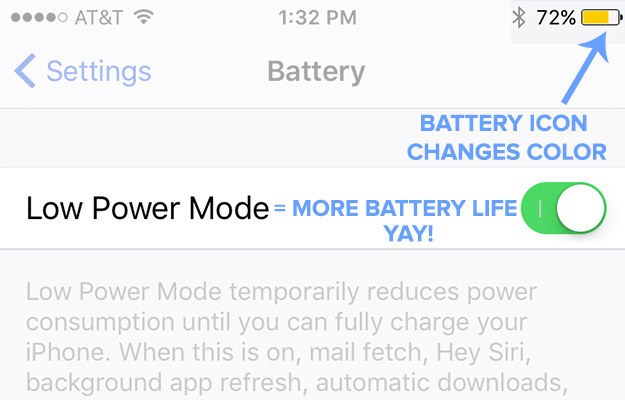
This one is also not something that the iPhone users don’t know about. You know the feeling of battery running out even before your day is over. In such situations, go to Settings>General>Battery and enable the Low Battery option followed by turning off the Battery Assist. In addition to this, go to Settings> Battery to see which apps are draining away your battery and shut them off.

“The storage is almost full” caption

iphone-1

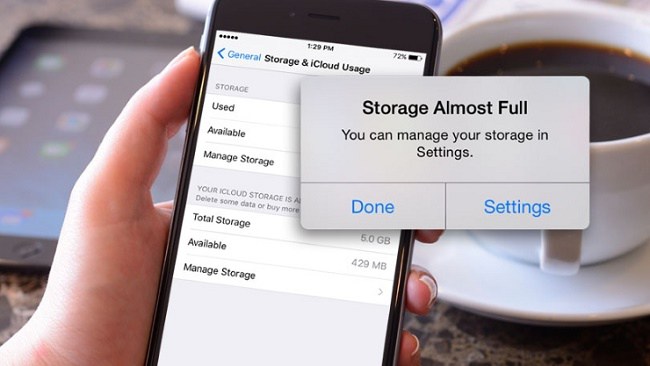
You know this if you are an iPhone user because iPhones like other   Android phones doesn’t have a memory card slot so you can’t extend its memory using one! So the best option is to buy the iPhone with 128GB storage. But if you have exhausted all your storage, you don’t need to panic. Just go to Settings>General>Storage>Manage storage and check what I causing the problem. Also, use Google Photos to store unlimited photos and videos to save that precious storage.

Next Page For More

Tagged : /

5 essential things we want from the iPhone 7. What’s your wishlist?

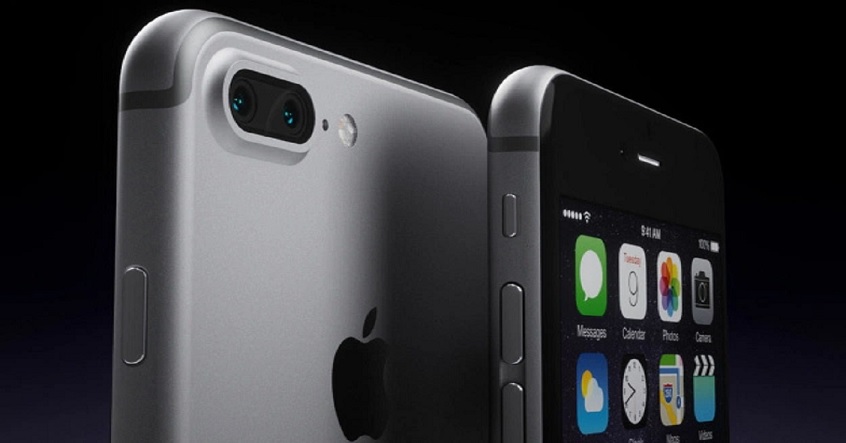
The launch of iPhone 7 won’t be official for some more time, however, leaks reveal that the final design of Apple’s 2016 smartphones will be quite similar to iPhone 6 series. Even though iPhone makers are not making a radical design, yet it will not be boring.

Nevertheless, latest rumors from Japanese news site Nikkei, marked by 9to5Mac, states that the “iPhone 7” will essentially be a new member of the iPhone 6 family instead of a brand new iPhone generation with a new model number, like “7.” This is an absolutely new move by Apple, however if other rumors about the next iPhone were true, it wouldn’t be totally unusual.

Meanwhile we are uncertain about what it’ll be called, Lets call it the next iPhone.

Two different models expected with different screen sizes

The next iPhone will mostly come in two sizes just like the iPhone 6 generation, comprising the usual 4.7-inch screen model and a Plus, model with a 5.5-inch screen.

There may be a dual-lens camera but, it may be present only in bigger Plus model. So, apart from these physical specifications what do we expect from Apple iPhone7? Here is our wishlist below. Please go through it and let us know if your wishlist matches ours?


[adinserter block=”7″]

As a technology lover you may like our daily important technology news series. It’s a playlist and you can retrieve the total day-wise videos. Please consider subscribing our YouTube channel:

Author: Technology and Beyond
Tagged : /

This is how you can create password protected folders without using any software

If more than one people use your device then securing personal files/software can be an issue.

Here is, how you can secure your files by creating a password for it.

Create a new ‘Text Document’ in a new folder, by right clicking and choosing new-> Text document.

Copy and paste this in the text document.

cls @ECHO OFF title Folder Private if EXIST “Control Panel.{21EC2020-3AEA-1069-A2DD-08002B30309D}” goto UNLOCK if NOT EXIST Private goto MDLOCKER :CONFIRM echo Are you sure you want tolock the folder(Y/N) set/p “cho=>” if %cho%==Y goto LOCK if %cho%==y goto LOCK if %cho%==n goto END if %cho%==N goto END echo Invalid choice. goto CONFIRM :LOCK ren Private “Control Panel.{21EC2020-3AEA-1069-A2DD-08002B30309D}” attrib +h +s “Control Panel.{21EC2020-3AEA-1069-A2DD-08002B30309D}” echo Folder locked goto End :UNLOCK echo Enter password to unlockfolder set/p “pass=>” if NOT %pass%== password here goto FAIL attrib -h -s “Control Panel.{21EC2020-3AEA-1069-A2DD-08002B30309D}” ren “Control Panel.{21EC2020-3AEA-1069-A2DD-08002B30309D}” Private echo Folder Unlocked successfully goto End :FAIL echo Invalid password goto end :MDLOCKER md Private echo Private created successfully goto End :End

Find ‘Password here’ in the above code and change it to the password of your choice.

Click on file->save as, save with the name of your choice, with .bat extension. For example, Secret.bat

Close note pad and go to the new folder, you will see a “SECRET” command.

Double click on this file, A new folder appears (Confidential or Private)

Transfer or move all the folders and files that you want to hide, and then go back one step

Double click on “SECRET” command again, a new dialogue box appears, just press ‘Y’ and click on enter.

The private/confidential folder will disappear, making all your files and documents secured.

To undo hiding, open the Secret folder command again and type the password. Click enter and the hidden folder will appear again.

[adinserter block=”7″]

As a technology lover you may like our daily important technology news series. It’s a playlist and you can retrieve the total day-wise videos. Please consider subscribing our YouTube channel:

Author: Technology and Beyond
Tagged : /

Having trouble with Window 10 password? These simple suggestions will help you!

There are now solutions to overcome the problems faced in Microsoft Windows 10 password. Microsoft has imposed strong security for PCs running windows 10. In spite of being convenient and good, it is also very risky. Even after careful installation of password in windows 10 most of the people tend to forget their password.

Forgetting password and trying to retrieve it, to access files and documents have become very common. There are several ways to recover the password of windows 10, but the whole process requires certain tools for installation and is also very time consuming.

If you feel that your password is difficult to type or remember, just change your password to something simple. Choosing a simple password will probably be risky, as online passwords are more prone to hacking than local ones. It should be complicated, long and difficult to guess. You should have alphabets that are lengthy, numbers that are complicated and use punctuations at intervals, so that, it becomes difficult in guessing. Make sure it is easy for you to remember the password. As soon as you come across such a password, visit microsoft.com. Log in to your account, and click on the avatar, which is in the upper right corner and select view account. Click to change password. Follow the instructions to change your password.

You will not require windows 10 password, while using a pin to log in. Although Microsoft password contains numbers, alphabets and punctuations, while pin contains only numbers, pin is still safe, as it does not travel to the Internet; hence there is no chance of hacking. Windows 10 pin is not restricted to 4 digits only; you can use as many digits you want. The longer the pin, the difficult it becomes to crack it. You can do this by selecting the ‘change account setting’ from the start menu and clicking on your avatar. Then select ‘sign-in’ options, click the add button in the pin section and follow the instructions given.

It is not necessary to have a Microsoft account to log in to windows 10. You will not be able to use certain features, like Cortana, if use a local account. To localize your account, you need to open ‘change account settings’ and select sign in with a local account instead.

[adinserter block=”7″]

As a technology lover you may like our daily important technology news series. It’s a playlist and you can retrieve the total day-wise videos. Please consider subscribing our YouTube channel:

Author: Technology and Beyond

Tagged : /

Here is the secret: Run Android Apps on any Chromebook

Google recently announced its very first developer preview with Android app for Chromebook. But, the chrome OS update is available only for Asus Chromebook flip. Devices like Google Chromebook Pixel and Acer Chromebook R11 can expect to get the update next, whereas other Chromebook users might have to for little more time.

Google’s latest timeline reveal that other Chromebooks will have to wait till late this year or early next year to get the play store built. However, if you’re impatient, there are ways you can run the Android apps on Chromebook. You will have to use the ARC Welder app to run Android on Chrome OS. Follow the steps given below to use Android apps on any Chromebook through ARC Welder.

Step 1

ARC-Welder-Chrome-app

Download the ARC wielder app from Chrome Web Store.

Step 2

Download the APK files of apps that you want to use on your Chromebook from APKMirror.com

Step 3

ARC-Welder-select-APK

Open the ARC Wielder app and then click on the Add your APK option.

Step 4

Select the APK files that you have downloaded.

Step 5

ARC-Welder-test-Android-app-on-Chromebook

Once the APK files are loaded in the app, you can choose from various options and customize your app experience. For example you can select the orientation (portrait or landscape), form factor (tablet, phone, maximized or full screen) and you can choose to give the app “Clipboard access” or not. Once done, click on “Test” to start the app.

Step 6

Android-apps-running-on-Chrome-OS-2

In case you have loaded ARC Welder app previously then you will be prompted to remove it before loading the new APK. Your app will then start up and you can use the app through mouse or touch if your Chromebook supports it. 

Important Points to Note

The ARC Welder app is built for the developers trying to enhance their Android apps for the Chrome OS, so do not assume great performance out of it. Nevertheless, if you are just considering using a few Android apps on your Chromebook, it’s not too shabby either. Having said that, if you consider using ARC Welder permanently, here are a few important points to be kept in mind:

  • Have patience as it many take a little longer time to load after you have clicked test.
  • According to developers, you should useTablet or Maximized as the form factor and Landscape as the screen orientation for best results. You can resize the window of an app, like you would do on a normal app and the interface will scale accordingly.
  • Not all the apps work! We tried out the APKs of most of the popular apps and only a few managed to play well with Chrome OS. This should get fixed with future Chrome OS updates, as Google starts integrating its Play Services.
  • You should choose downloading stable versions of apps, rather than trying out any beta or alpha builds of an app.

Now, you are ready to try out Android apps on your Chromebook.

[adinserter block=”7″]

As a technology lover you may like our daily important technology news series. It’s a playlist and you can retrieve the total day-wise videos. Please consider subscribing our YouTube channel:

Author: Technology and Beyond

Tagged : /

THIS is how you can use multiple WhatsApp, Facebook, Snapchat accounts on Android!

Twitter, Gmail, Instagram etc. allows you to login with multiple accounts and also switch with ease, whereas most of the other apps don’t. It becomes easy when you have a definite way to use multiple accounts, especially, for messaging apps like Whatsapp. We tend to use different numbers for work and personal usage and therefore, if we have an ability to distinguish our Whatsapp accounts as well, it would be great. Most of us love using different accounts especially for games. With an android app called Parallel Space, you can now login to multiple accounts using a single app in two iterations separately. This app also allows you install apps in incognito mode, which means that those apps will be only be available in Parallel Space app and no where else.

Here is how to use Parallel Space to run multiple iterations of an app.

Step 1

Parallel-Space-Welcome

Install the app “Parallel Space” from the Play Store. Open the app and you will see cool slides making you aware about the usefulness of the app. Tap on start.

Step 2

Parallel-Space-clone-apps

Clone apps page is your starting point from where you can make a selection of the app you want to run in Parallel Space. Mostly all the apps on your device are supported. For example, Select Whatsapp and it will be shown in Parallel Space with a message “Tap to open WhatsApp and sign in your other second account”.

Step 3

Parallel-Space-use-two-WhatsApp-accounts

Now you can easily sign into a second account on opening the app. You can easily add more apps and run multiple accounts.

Not only does Parallel Space allows you to run multiple iterations of an app, but also brings separate notifications of the cloned apps, this includes notifications from play services and play store as well. You have an option to block notifications from apps or put them in DND mode. Cloned apps can also be added to the home screen in order to use both your iterations of an app easily.

Parallel-Space-cloned-apps-notifications

Note: You can only add a single clone of the apps installed on your device, which means you can only use two accounts of an app. 

MultiDroid, claimed to be the first app virtualization system which powers Parallel Space Android and thus, it runs as its own entity in Android. Here are few more features it gives us along with cloning app.

[adinserter block=”7″]

Next Page For More

Tagged : /

Things that only a pilot could have told you… No.4 and 5 may make you feel unsafe!

Air travel has become a common thing nowadays and everybody seems to enjoy the fact that they enjoy precious time using air travel. Yeah there is that constant nagging fear of the plane crash but you can’t stop living because of the fear of death. But do you know that there are actually myths associated with flying and people do not even know about them. This article debunks those myths.

Don’t be afraid of the turbulence

Aeroplane-in-stormy-weather

If turbulence while flying makes you close your eyes tight and utter words of prayer then please be informed that there is no need for that because according to the pilots, maximum crashes occur during take-off and landing. Turbulence happens for a short time and the pilots aren’t that concerned about it.

There actually are worst and best seats on a plane

Flight-attendant-serving-customers-on-an-airplane

If you want a smooth flying experience then choose the seat near or over the wing as it is the most stable. If you think the plane as a see-saw, the centre portion is obviously less bumpy. The rear porn of the plane is the bumpiest. Also the flow of air goes from front to the back so that freshest air is at the front and the warmest at the back.

You don’t need to switch off your mobiles

All of us have heard it: “Please switch off your phones, the plane is about to take off”. There is no actual proof that mobile phones cause issues with the plane’s systems. Pilots actually use their mobile phones when the normal radios have problems.

When they are talking about a delay, they are mostly lying

When a delay is announced, nobody knows how long will it actually take. They announce 45 minutes because anything in hours would seem too long. So they just have to lie.

The pilots take naps while flying

cockpit

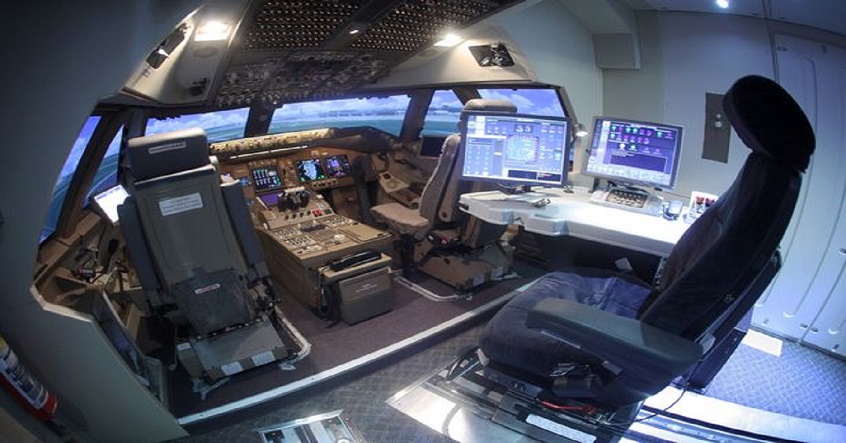
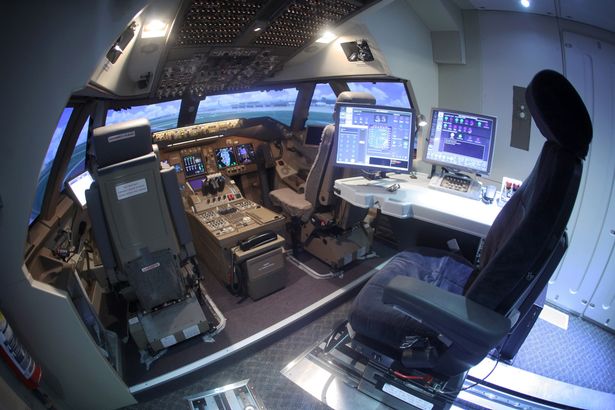
Long haul flights are not taxing for passengers only, pilots also suffer during these flights. This is why they catch a quick nap while flying the plane which may last 10 minutes or so. We are sure this fact is not going to make your fear of flying go away!

[adinserter block=”7″]

Next Page For More

Tagged : /
Verified by ExactMetrics