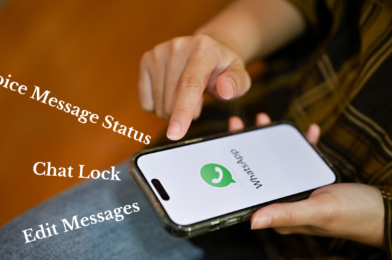
7 New and Cool WhatsApp Features you must Try in 2023

7 New and Cool WhatsApp Features you must Try in 2023

WhatsApp is one of the most popular messaging apps in the world, and it’s constantly adding new features to keep its users engaged. In 2023, WhatsApp has released a number of new features that are sure to be popular with users. Here are 7 of the new WhatsApp features you should try in 2023:

1 WhatsApp on Multiple Devices
One of the most anticipated new features in WhatsApp is the ability to use one account on multiple devices. This means that you can now use WhatsApp on your phone, tablet, and computer all at the same time. This is a great feature for people who want to be able to stay connected with their friends and family no matter where they are.

2 Chat Lock
Another new security feature in WhatsApp is the ability to lock specific chats. This means that you can protect your most private conversations by adding a PIN or fingerprint lock. This is a great way to keep your personal information safe from prying eyes.

3 Edit Messages
WhatsApp has finally added the ability to edit sent messages. This is a long-requested feature that will be a huge relief to anyone who has ever sent a message with a typo or grammatical error. You can now edit your messages within 15 minutes of sending them.

4 Share High-Quality Photos
WhatsApp has also improved the quality of photos that can be shared in the app. Previously, photos were compressed when they were sent, which could result in a loss of quality. Now, you can send high-quality photos without any compression. This is great for sending photos of important documents or events.

5 Dedicated Video Recording Mode
WhatsApp has also added a dedicated video recording mode to the app. This makes it easier to record and send videos without having to switch to the camera app. You can also choose the quality of the video before you start recording.

6 Voice Message Status
WhatsApp has also added a new status feature that allows you to share voice messages. This is a great way to share quick updates with your friends and family. You can also add text to your voice messages to make them more informative.

7 Communities
One of the most exciting new features in WhatsApp is Communities. Communities are a way for people to connect with others who share similar interests. You can create a community for your school, club, or workplace. Communities have their own chat rooms, files, and announcement boards. This is a great way to stay connected with a large group of people.

These are just a few of the new WhatsApp features that you can try in 2023. WhatsApp is constantly adding new features, so be sure to check the app regularly for updates.

Tagged : / / /

WhatsApp introduces new screen sharing feature! How does it work?

WhatsApp introduces new screen sharing feature! How does it work?
WhatsApp has become a necessity in today’s world and it keeps introducing new features to make its users happy and also to gain an edge over its competitors. WhatsApp has introduced a new feature “Screen Sharing” . WhatsApp’s new screen sharing feature is similar to those found on other video conferencing platforms like Google Meet and Zoom. This allows users to share their screens during meetings, so that others can view presentations, videos, or photos. By offering this feature, WhatsApp is positioning itself as a more attractive alternative to these other platforms.

The screen sharing feature is currently available in beta, but it is expected to be rolled out to all users in the near future. This is a significant addition to WhatsApp’s video conferencing capabilities, and it could make the app a more popular choice for businesses and other organizations that need to conduct online meetings.

How to use WhatsApp’s screen sharing feature?

1 Open WhatsApp and go to the bottom tab.
2 Look for the new icon next to the camera switch option.
3 Tap on the icon to activate the screen sharing feature.
4 A pop-up box will appear, warning you that your phone will be cast.
5 Click on “Start Now” to begin sharing your screen with the other person.
6 You will receive a message saying “You’re sharing your screen,” indicating that the screen share has successfully started.
7 To stop the screen share, tap on the “Stop Sharing” button.

Important information

  • WhatsApp will have access to all the information displayed on your screen during the screen share. This includes passwords, photos, messages, and even payment details.
  • WhatsApp will ask for your permission before starting the screen share.
  • You can control the screen share at any time.

Tips for using WhatsApp’s screen sharing feature:

  • Make sure you have a good internet connection.
  • Avoid sharing sensitive information.
  • End the screen share when you’re done.

Benefits of using WhatsApp’s screen sharing feature:

1 It is easy to use. Simply start a video call with the person you want to share your screen with, and then tap the “Share Screen” button.
2 It is secure. The screen sharing feature uses end-to-end encryption, so only the people in the call can see your screen.
3 It is reliable. The screen sharing feature is based on the WebRTC protocol, which is a widely used standard for real-time communication.
Overall, WhatsApp’s screen sharing feature is a valuable addition to the app. It is easy to use, secure, and reliable, making it a great option for businesses and other organizations that need to conduct online meetings.

Tagged : / /
Verified by ExactMetrics